

Overview
The Datasets page is where customers manage reusable fast-data layers that power apps, dashboards, and analytical workflows.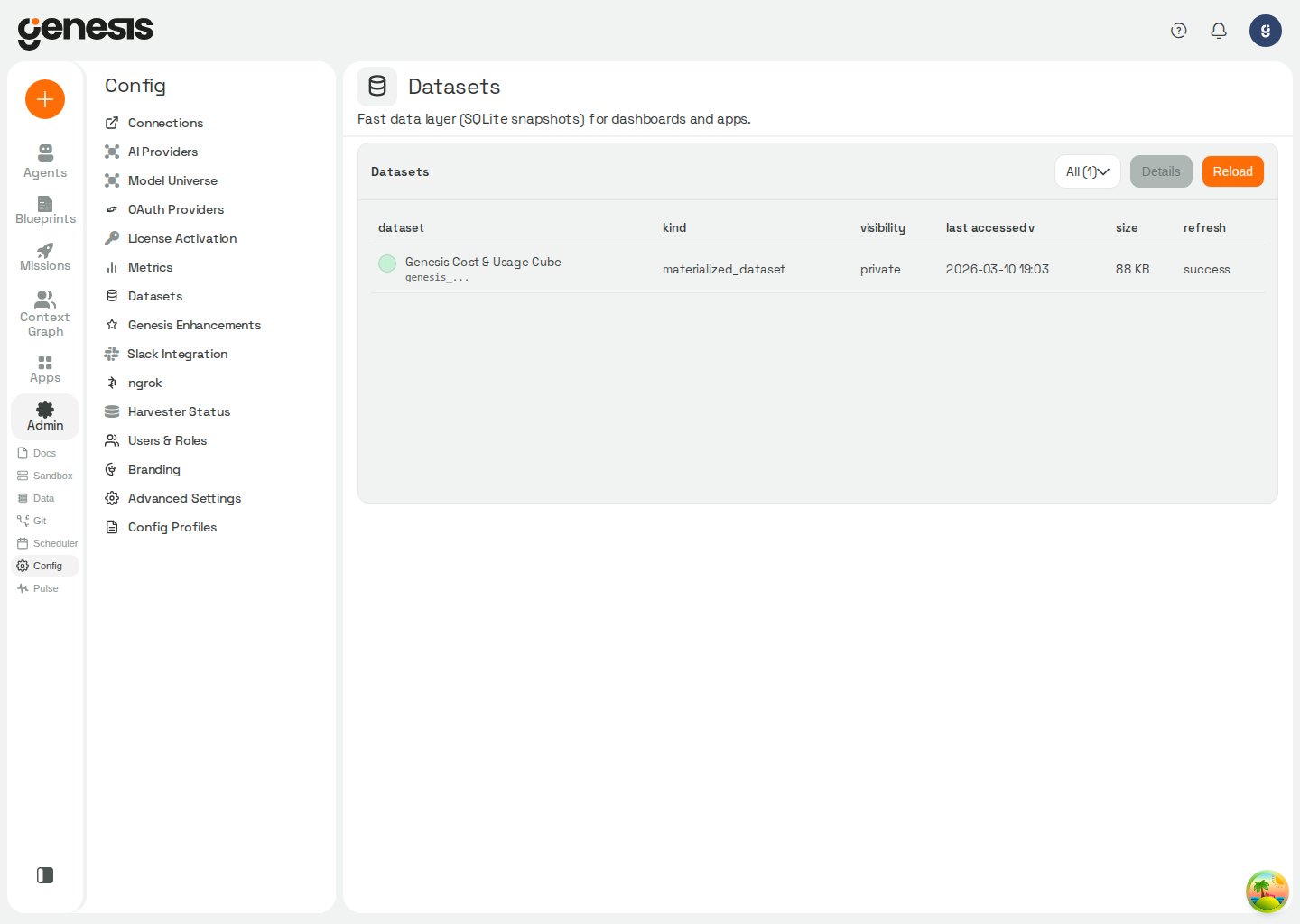
What you can do
- review available datasets,
- filter datasets by type or status,
- refresh datasets,
- materialize or update datasets where supported,
- delete user-created datasets,
- inspect details and preview data,
- manage sharing rules,
- connect refresh behavior to scheduling workflows,
- jump to the owning chat thread or dashboard when a dataset is scoped to one.
{bot_id}--{thread_id} form (for example Eve--chat_abc123). Genesis opens the canonical chat URL /chat/{bot_id}/thread/{thread_id}. Thread scopes that omit a bot identifier do not show a link because the conversation is not addressable without one.
When to use datasets
Use a dataset when you want a stable, reusable data layer for an app or repeatable workflow without rebuilding the full upstream query every time.Refresh policies
Each dataset definition stores arefresh_policy object. Genesis validates and
normalizes that policy when you create or update the dataset, then
automatically syncs scheduled policies into the scheduler.
Scheduled refreshes default to
@daily when schedule is omitted. cron:
schedules use five fields in the order minute, hour, day, month, and
day_of_week.Definition guardrails
Genesis validates dataset definitions before it saves or refreshes them:- unknown keys in the request root,
sources[*], orviews[*]fail fast instead of being ignored, - SQL sources must be exactly one read-only
SELECTorWITHquery, even when the SQL is loaded throughsql_path, sources[*].max_rowsis optional, but when you set it the value must be at least1,- source IDs and view IDs must stay unique case-insensitively, view dependency cycles are rejected, and index targets and indexed columns must exist before Genesis will persist the definition.
sql_path points to a recorded upload, an authorized dataset refresh can retrieve its
missing SQL bytes from the Databricks App volume before parsing the definition; the initial
refresh after a restart waits for this retrieval. See volume-backed upload behavior.
Partial refreshes and snapshot history
A refresh normally rebuilds all sources in the dataset, but API and agent-tool callers can passonly_source_ids to refresh only a subset of sources.
- Genesis validates
only_source_idsbefore it starts the refresh. - If a requested source ID does not exist in the dataset definition, the
request fails with a
400and includes bothunknown_source_idsandavailable_source_ids. - A failed partial refresh never replaces the active snapshot.
- refreshing creates a new snapshot and switches
active_snapshot_idonly after the new snapshot is ready, - you can list snapshots, roll back to a prior
readysnapshot, or delete inactive snapshots, - Genesis never deletes the active snapshot through the inactive-snapshot cleanup path, even if it is requested explicitly.
sqlite_durability.user_db_max_bytes in Advanced Settings.
Deletion safeguards
Genesis lets you delete user-created datasets from the Datasets page, but it adds guardrails around destructive actions:- built-in system datasets such as the Cost & Usage cube and Tool Observability cube cannot be deleted,
- if a dataset is still bound to one or more apps, Genesis shows the affected apps and requires a second confirmation before the delete proceeds,
- the confirmation flow is there to prevent breaking apps that still depend on the dataset binding.
Automatic retention and cleanup
Genesis also applies background retention to dataset storage. The active snapshot is never deleted by this cleanup flow.
When scheduled cleanup is enabled, its first pass runs
120 seconds after
server start, then runs at the configured interval. Configure
jobs.dataset_cleanup.startup_delay_seconds (default
120) to change the initial delay. Each pass drains eligible datasets and
snapshots in batches of up to jobs.dataset_cleanup.batch_size (default 100
of each), until no candidates remain, a batch deletes nothing, or the
jobs.dataset_cleanup.pass_budget_seconds (default 600) is reached. The batch
that crosses the time budget finishes; remaining candidates wait for the next
pass. These settings are read at the start of each pass, except the startup
delay, which is read when the scheduler registers the job. After a successful
dataset refresh, Genesis also applies the snapshot policy to superseded
snapshots; the active snapshot remains protected.