

Overview
The Microsoft OneDrive Integration page is the customer-facing setup workflow for connecting OneDrive to Genesis.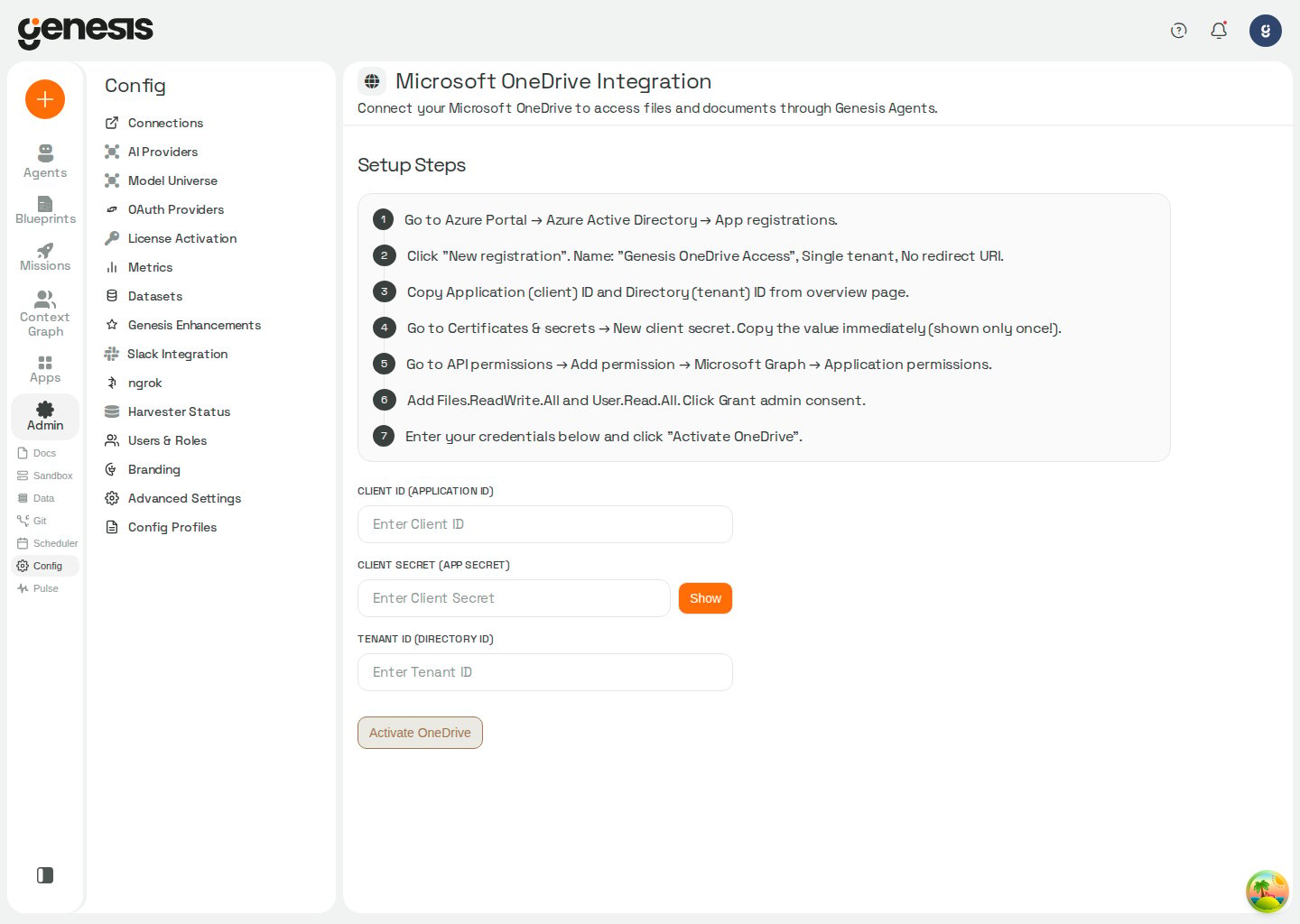
Setup workflow
- Open Config -> Microsoft OneDrive.
- Follow the Azure and Microsoft Graph setup steps shown in the page.
- Enter the client ID, client secret, and tenant ID.
- Activate the integration.
In Snowflake / SPCS deployments, OneDrive setup can show
Approve External Access and Assign to Genesis after you save
credentials. Approve External Access opens Snowsight’s
Configurations page for the Genesis app — not the Streamlit app.
Under External connections, find Microsoft OneDrive External Access
Integration, click Review to approve it, then return to Genesis and
click Assign to Genesis. Genesis rechecks the assignment immediately
after the user-triggered action so the page can advance as soon as the
integration is ready.
What it enables
After setup, Genesis Data Agents can support file- and folder-oriented workflows across OneDrive content.Connection defaults
Genesis can load OneDrive credentials from a saved onedrive connection in Config -> Connections. When theonedrive tool runs without a named connection, Genesis resolves the effective default onedrive connection for the active agent (My default, then Role default). Credentials saved on Config -> Microsoft OneDrive, legacy file storage, or environment variables apply only when no scoped default resolves. See Default connection layers.