

Overview
Coding-agent activity appears inside Genesis threads when an agent delegates code-oriented work to a supported coding workflow. Customers can then review the thread, inspect the related outputs, and use the thread-level controls that manage the session. Availability also depends on workspace policy. In Config → Workspace Policies, admins can globally allow or block coding-agent delegation under Tool Permissions → Coding Agent Controls. When blocked, agents cannot hand work off to Claude Code, Codex, or Cortex Code even if role-level tool access would otherwise allow it. Genesis Desktop does not start Claude Code, Codex, Cursor, or Cortex Code inside Genesis; its in-thread coding panels and delegation tools are unavailable there. To connect a coding client to Desktop, see Connect coding agents over MCP. The deployment-specific control behavior is covered in Workspace Policies. Sales Engineering presenter vignettes (for example ticket-driven dashboard RCA and client file onboarding) let operators choose a showcase coding agent — Ginie, Cocoa, or Claude Code — before the Mission starts. Mission Center surfaces that choice as a badge on the blueprint chain strip when the mission thread stores acoding_agent blueprint input.
What customers see
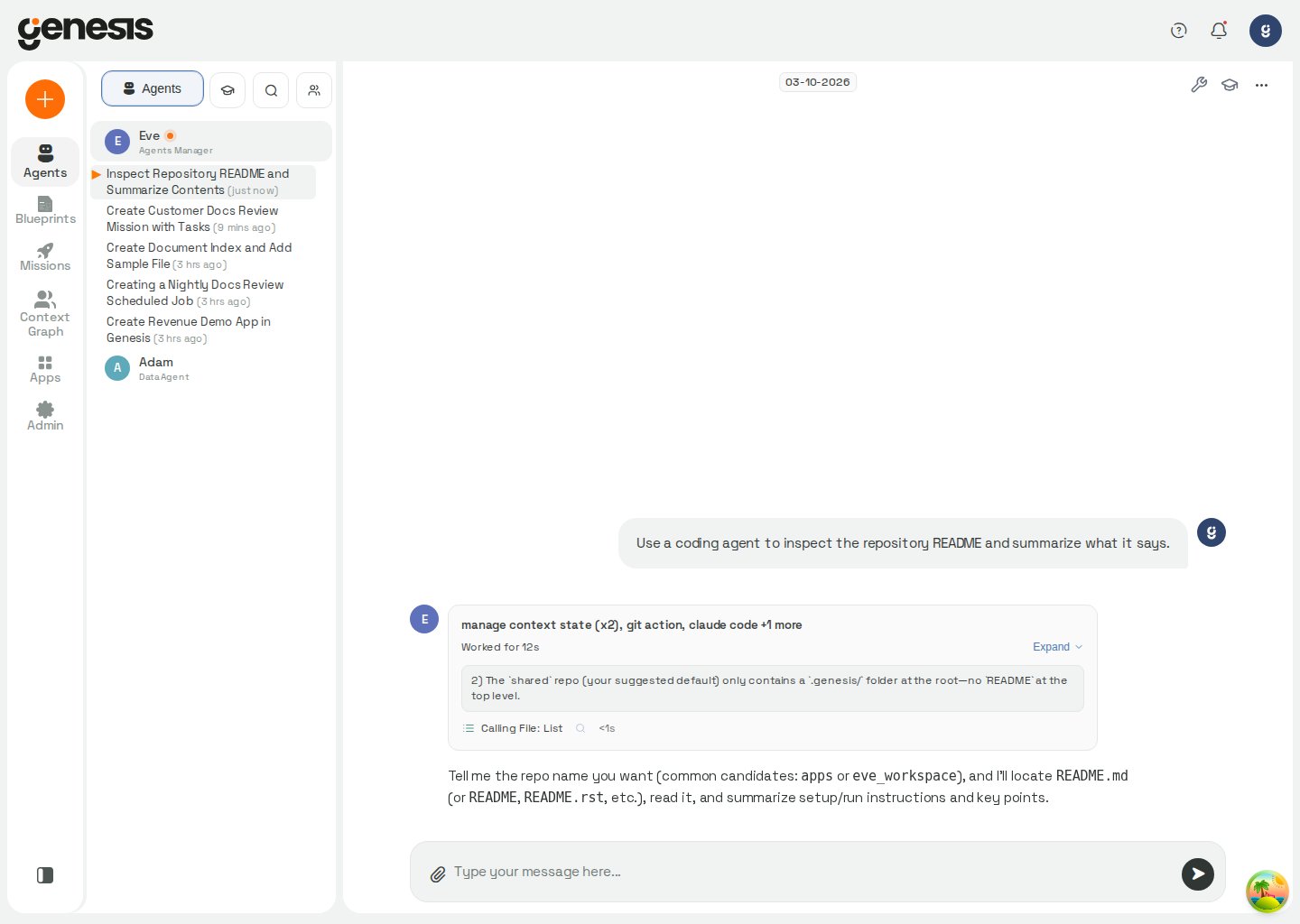
When coding-agent activity is present, Genesis can surface thread-level controls for inspecting tool activity and related panels. Inline tool-call rows can also show a magnifying-glass inspect button that opens the Thread Details drawer, and matched rows can jump directly to the related tool-call inspect entry with a temporary highlight so customers can inspect the exact step they selected. Customers typically work from the thread, not from a standalone coding dashboard. When live coding panels are available, Genesis uses the current signed-in session to load saved activity and perform control actions such as Take Control, Return Control, Stop, and Send Message. This keeps protected coding-agent APIs working in OAuth- or OIDC-protected deployments. If you reopen the thread later, Genesis can restore recent coding-session history for that thread, keep the current running, complete, or failed state visible, and surface the latest status summary. When the workflow publishes a session log, the same panel also exposes a Session Log link so customers can review the saved output. For Blueprint missions, the same delegation is also visible in the mission’s Document Flow graph as a provider node with an expandable task list. See Coding-agent delegation on the graph for the graph behavior and replay details.Typical workflow
- Ask an agent to perform a code-oriented task.
- Follow the resulting thread and tool activity.
- Use thread actions, inline inspect buttons, and available panels to inspect progress, outputs, or next steps.