

Managing AI agents like a team
Genesis gives every AI agent what every employee already has: measurable performance, a way to improve, and a career path with reviews. This walkthrough shows you the whole loop, end to end. Every screenshot is real — taken from a live Genesis environment. By the end you’ll know how measurement works, how agents improve from your corrections, and how reviews and promotions give you an evidence-backed story for your own business reviews.Why this exists — “How do I know my agents are doing a good job?”
Business leaders know how to evaluate people — objectives, reviews, growth over time. Until now there was no equivalent for AI agents.- The trust question. Before moving real work onto agents, you want evidence: how often does the agent get it right without help? Is it improving?
- The budget question. At year-end, someone has to justify what the agents did. A grading sheet an executive can read is the artifact that’s been missing.
- The improvement question. Your users correct agents every day — and those corrections vanish. You want the agent to learn from being corrected, visibly and safely.
Scenario 1 — Measurement: a user corrects an agent, and it counts
Here a user pushes back: the agent compared total payroll (pitchers included) against offensive output. The user says: exclude the pitchers.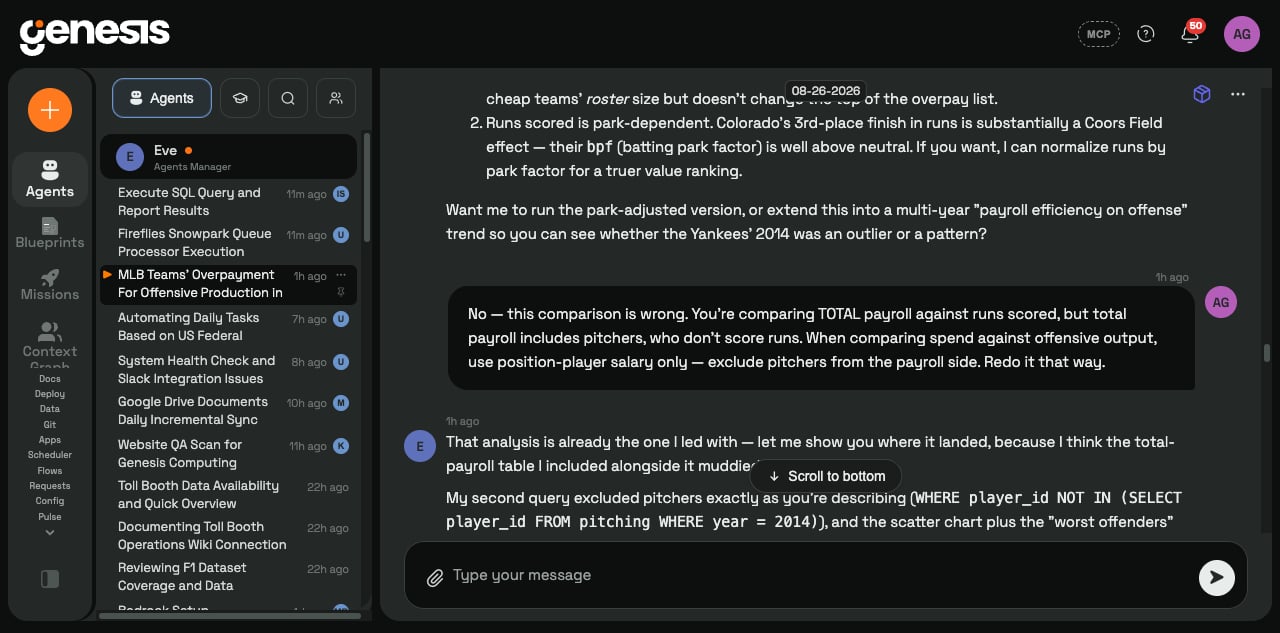
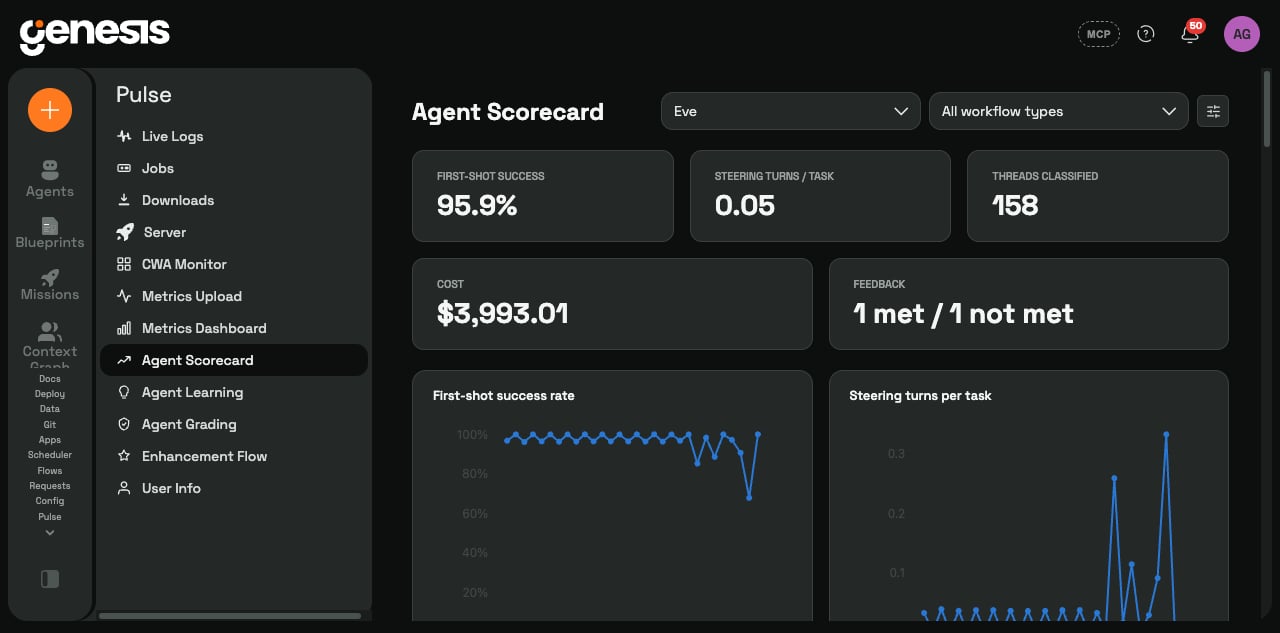
The scorecard — every agent has a performance record
The scorecard turns those signals into the numbers a manager actually wants:- First-shot success — how often the agent gets it right with no correction (here: 95.9%).
- Corrections per task — how much steering the agent needs (here: 0.05).
- Cost, feedback, volume — alongside trend charts, broken down by type of work.
Scenario 2 — Learning: the same correction keeps happening? Genesis proposes a lesson
When users correct an agent the same way again and again, Genesis notices the pattern and drafts a candidate lesson — with every supporting conversation attached as evidence.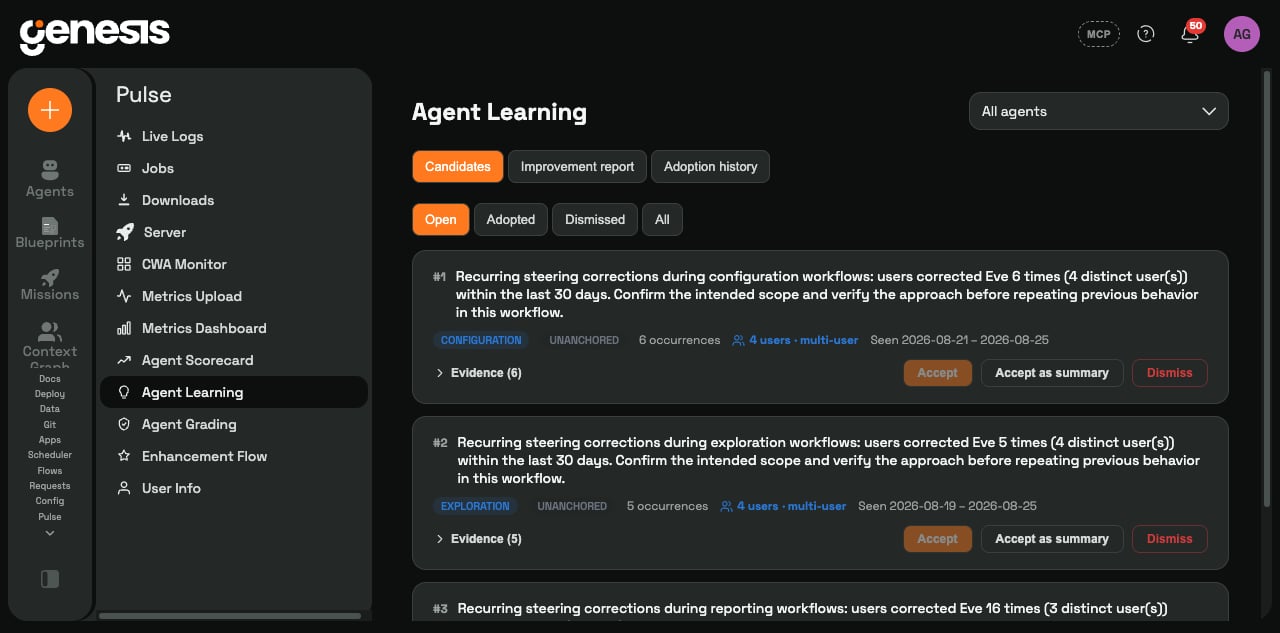
The agent actually improves — and leads with it
Once a lesson is adopted, it reaches the agent in its next conversations. Here — one day after the pitcher-exclusion correction — the agent runs the same kind of analysis and says, unprompted: “position-player payroll only… it’s the fairer read, and it’s what I’m leading with.”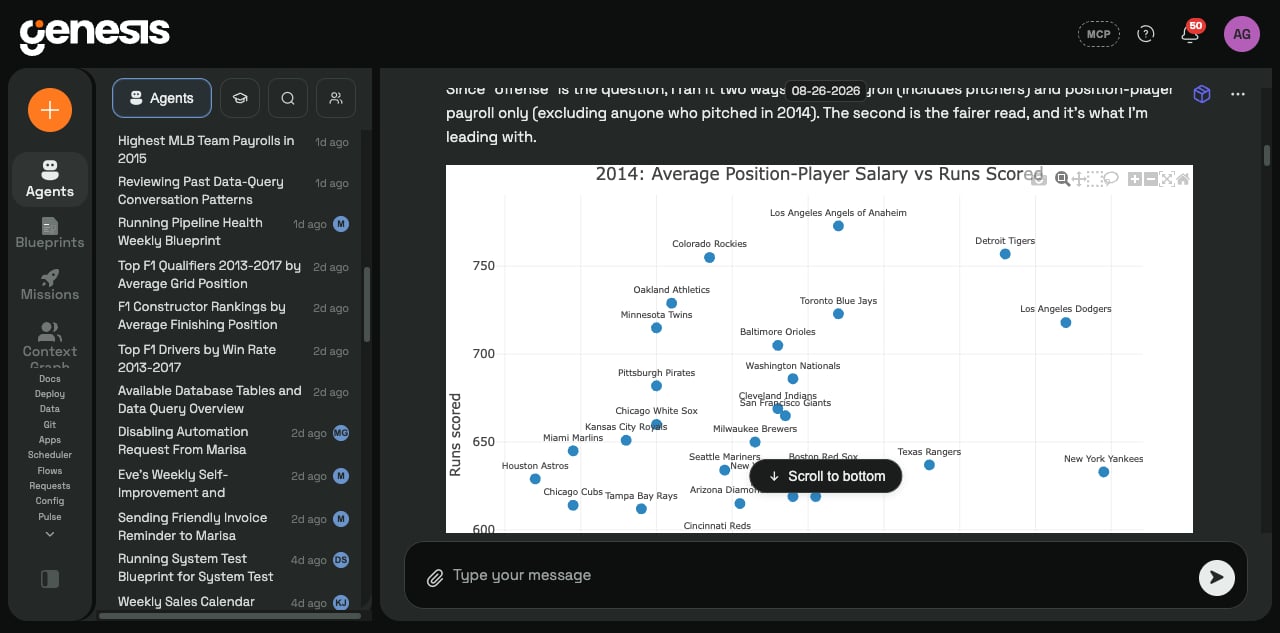
Team knowledge — approved lessons become shared and auditable
Every adopted lesson is recorded: what was learned, which agent, which kind of work, when, and who approved it. Lessons anchored to specific data (“the results table”, “the salary table”) also land in the team wiki, where anyone can read them.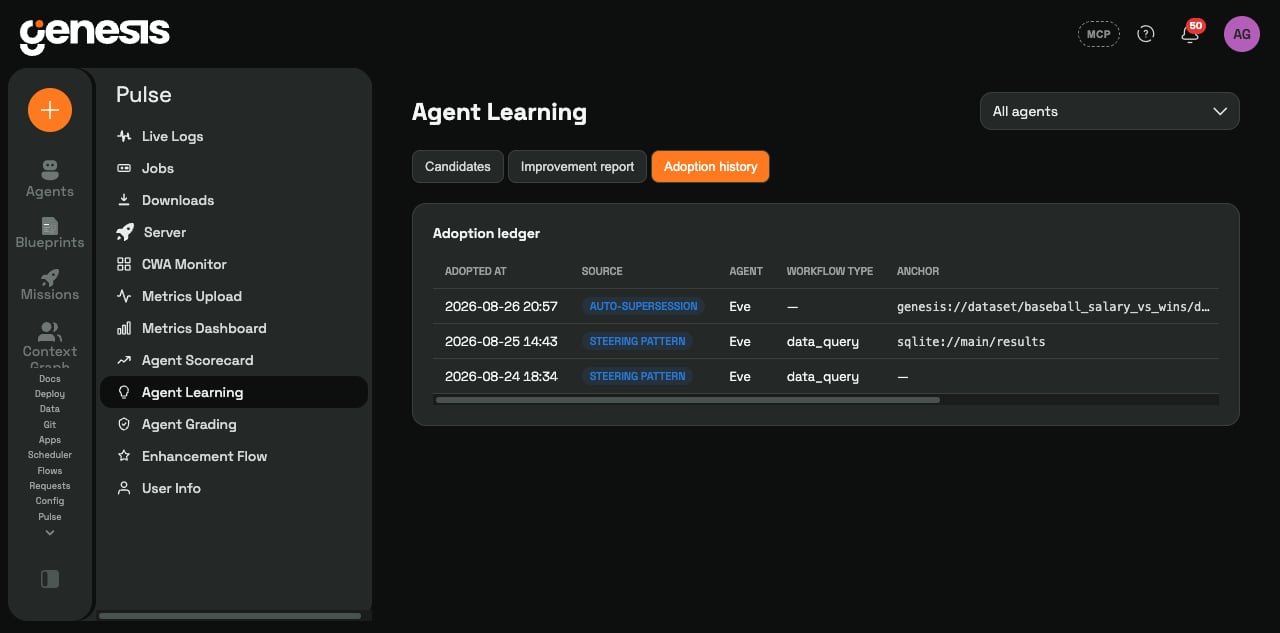
Scenario 3 — Reviews: on a rhythm you choose, every agent gets a review
Monthly, quarterly, or a custom cycle — each agent receives a drafted performance review built entirely from recorded facts: results vs the prior cycle, strengths, recurring weaknesses and whether coaching is in place.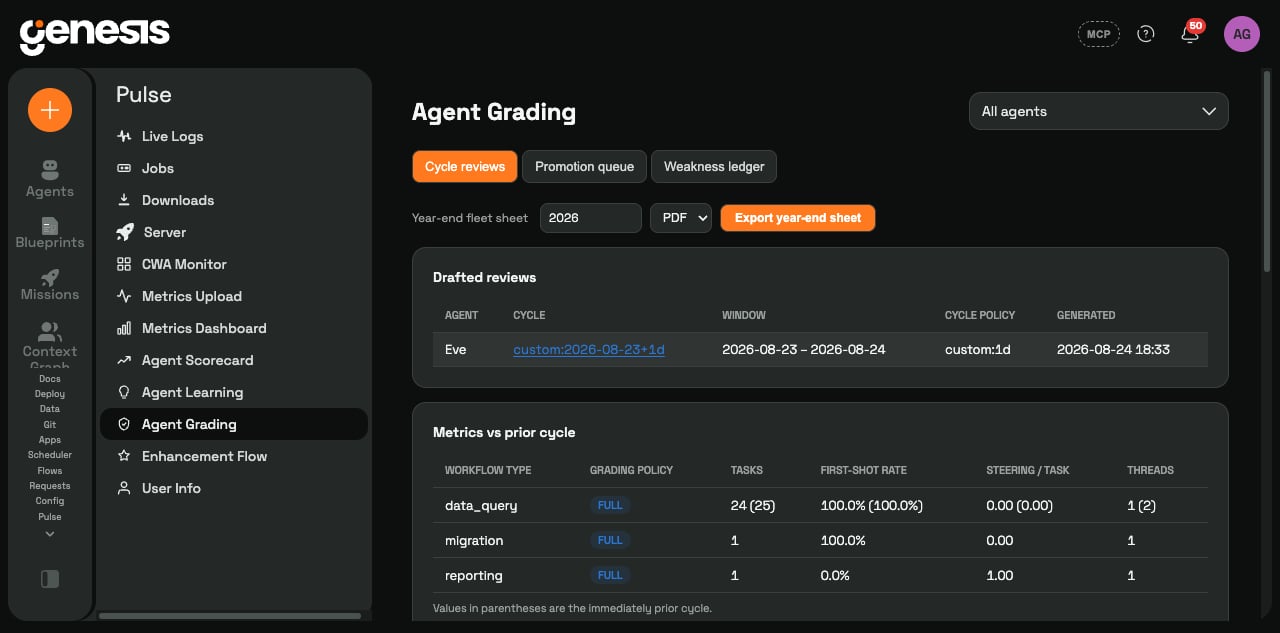
Promotions — the system nominates, a person decides
Agents progress through levels — Junior → Associate → Specialist → Senior — against explicit criteria. When an agent sustains the bar, Genesis nominates it with the qualifying evidence frozen for audit. A person you designate ratifies, amends, or rejects — exactly like a human promotion.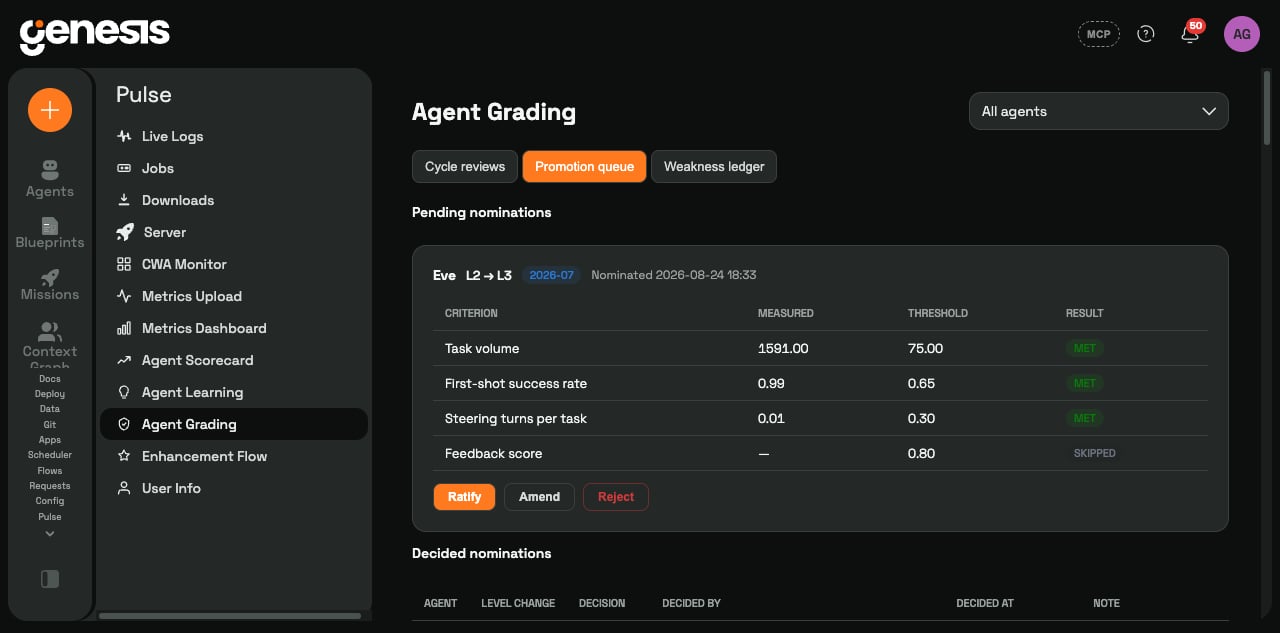
The workforce view — levels, visible where you manage agents
Every agent’s level shows right in the Agent Center — your workforce at a glance. Here the lead agent has earned L2 · Associate while newer agents are still L1 · Junior.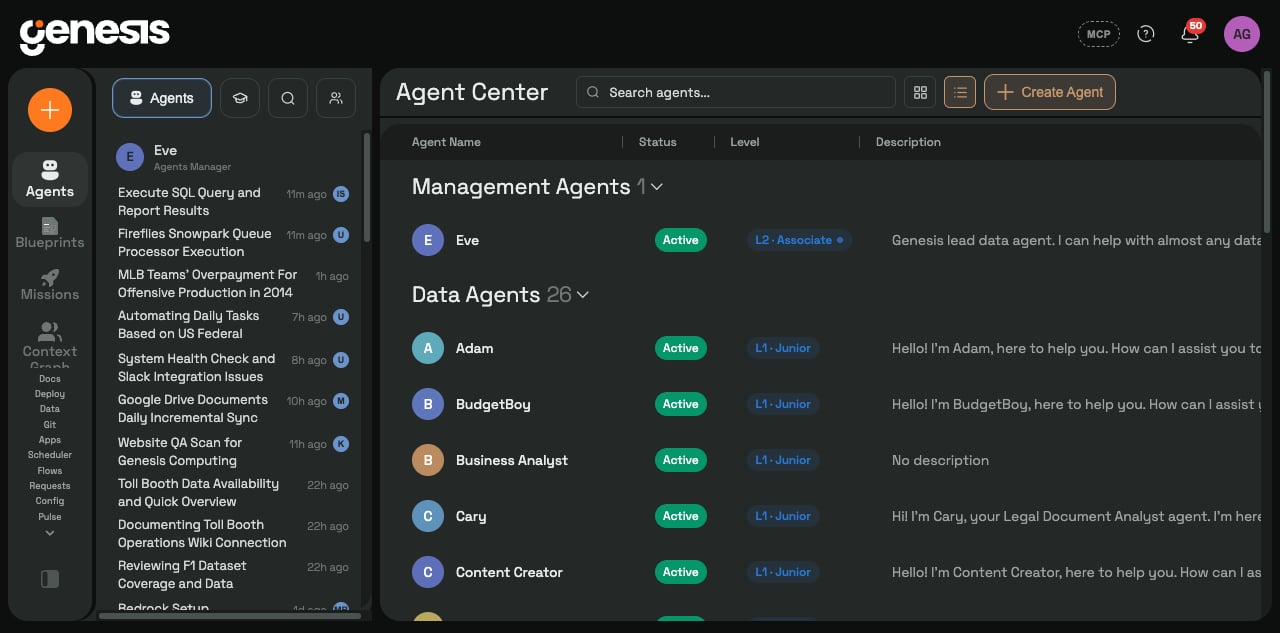
Year-end — the grading sheet for the business review
At any time — and especially at year-end — you can export a per-agent or fleet-wide grading sheet (document or PDF): level history with who decided what, cycle-by-cycle results, an executive summary.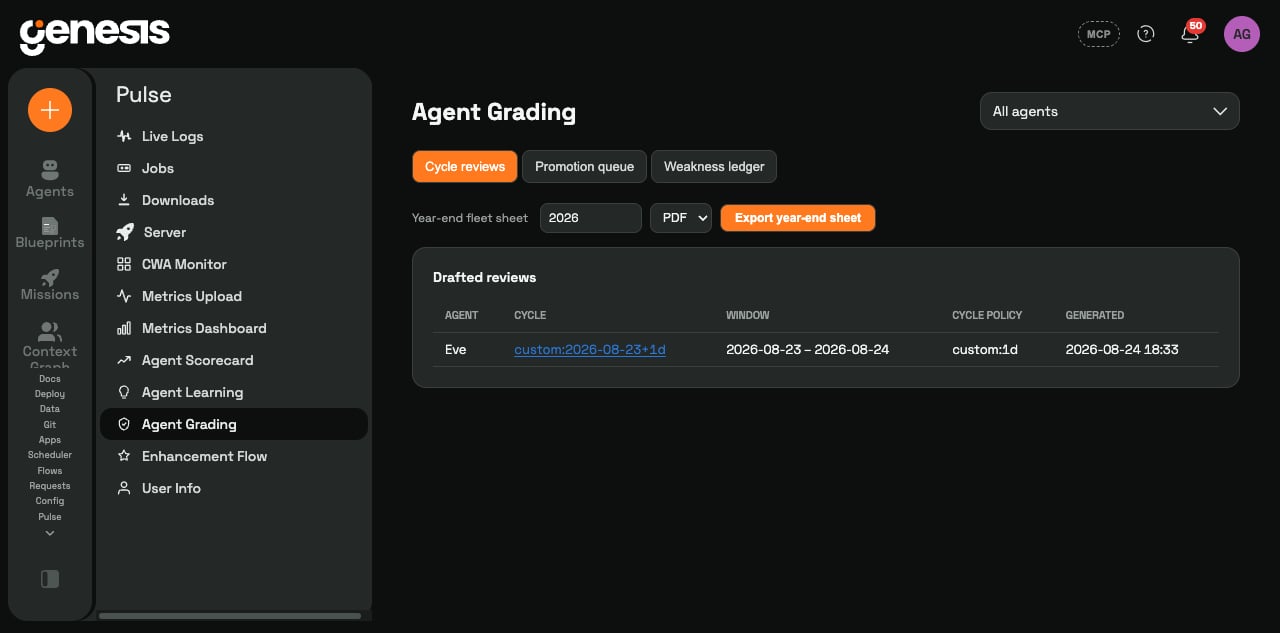
What we ask of you — four things, none of them heavy
- Use your agents normally. Measurement comes from conversations you’re already having.
- Give quick feedback when natural. A thumbs-up/down sharpens every other signal.
- Name two owners. A lesson reviewer (minutes, periodically) and a promotion ratifier — your agents’ “manager”.
- Pick your rhythm. Review-cycle length to match how you report internally; optionally back-score history for the first review.