> ## Documentation Index
> Fetch the complete documentation index at: https://docs.genesiscomputing.com/llms.txt
> Use this file to discover all available pages before exploring further.
# Lineage Tools
> Explore lineage-oriented customer workflows that power the Context Graph and related data-discovery experiences.
## Overview
`lineage_tools` are the customer-visible lineage capabilities behind the **Digital Twin** and **Context Graph** experience in Genesis.
When Genesis uses SQLAlchemy metadata storage, including the Databricks App's
PostgreSQL metadata database, it reads the saved embedding and LLM settings at
Twin startup and forwards usable runtime configuration to Twin. This lets
lineage indexing use those settings without requiring them to be re-saved after
startup.
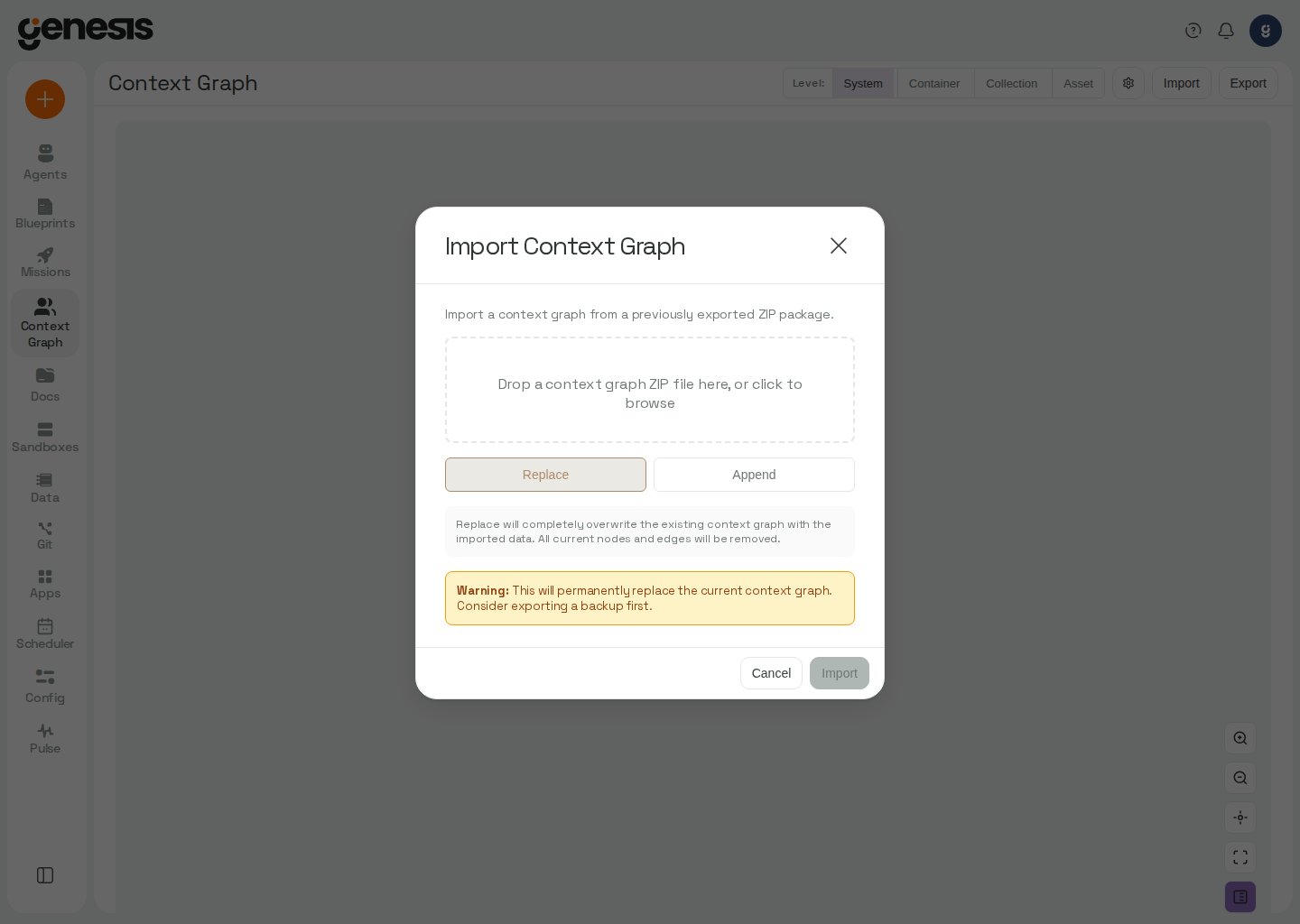 ## What customers use them for
* viewing lineage-related context,
* exploring relationships between assets,
* importing or exporting context-graph data,
* supporting data-lineage discovery workflows.
## Genesis dataset lineage
Genesis datasets are reconciled by the built-in `genesis` source scanner rather
than written directly to Twin during dataset lifecycle operations. Creating a
dataset, changing its definition, or removing it queues a scan; Twin reflects
the change after that scan completes. Snapshot-only events (`refresh`,
`ingest_snapshot`, and `rollback_snapshot`) do not request a scan because they
do not change lineage. Twin deduplicates requests while a scan of that source is
queued or running.
## Primary tool surface
| Tool | Purpose |
| - | - |
| `lineage_action` | Query Context Graph nodes directly, search indexed asset content, traverse upstream or downstream relationships, and manage registered lineage sources. |
### `lineage_action`
Use `lineage_action` when an agent needs direct graph or index access beyond the higher-level `search_data_context(...)` wrapper.
| Parameter | Type | Default | Notes |
| - | - | - | - |
| `action` | string | none | Common retrieval actions include `GET_NODE`, `GET_INDEX_DOCUMENT`, `GET_UPSTREAM`, `GET_DOWNSTREAM`, `GET_PRODUCERS`, `GET_GRAPH`, `GET_GRAPH_AT_LEVEL`, `GET_SUBTREE_STATS`, `GET_STATS`, `GET_INDEX_STATS`, `GET_USAGE_SUMMARY`, `GET_USAGE_FACTS`, `GET_USAGE_CAP`, `SET_USAGE_BUDGET`, `SEARCH_NODES`, and `SEARCH_INDEX`. `GET_GRAPH_AT_LEVEL` accepts `system`, `container`, `collection`, `asset`, or `component`; `GET_SUBTREE_STATS` returns counts for a qualified-name subtree; `GET_STATS` returns graph-wide counts; `GET_INDEX_STATS` returns vector-index counts and embedding health. Git source actions include `REGISTER_GIT_REPO`, `REGISTER_GIT_REPOS`, and `LIST_GIT_BRANCHES`. Source actions include `REGISTER_SOURCE`, `UPDATE_SOURCE_CONFIG`, and `GET_SOURCE_SWEEP_STATUS` for a source's effective object-sweep budget and latest recorded cycle outcome. Custom-scanner actions include `LIST_SCHEMES`, `REGISTER_SCHEME`, `REGISTER_CUSTOM_SCANNER`, `UPDATE_CUSTOM_SCANNER`, `SCAN_SOURCE`, `BULK_ADD_NODES`, `BULK_ADD_EDGES`, `TOUCH_NODES`, `BULK_REMOVE_NODES`, `UPSERT_WIKI_PAGE`, `LIST_WIKI_PAGES`, `DELETE_WIKI_PAGE`, `END_SCAN`, `ABORT_SCAN`, `GET_SCAN_STATE`, `SET_SCAN_STATE`, `GET_SCAN_STATUS`, `GET_SCAN_HISTORY`, `GET_SCAN_QUEUE`, and `CANCEL_SCAN`. Use `MANAGE_SCAN_PATTERNS` to read or update scan scope. `RELOAD_EMBEDDING_CONFIG` updates the active embedding client and can optionally reindex. |
| `qualified_name` | string or null | `null` | Required for `GET_NODE`, `GET_INDEX_DOCUMENT`, `GET_UPSTREAM`, and `GET_DOWNSTREAM`. For `GET_PRODUCERS`, a single name scopes the query to that node. |
| `qualified_names` | list of strings or null | `null` | Optional explicit scope for `GET_PRODUCERS`; pass this or `prefix`, but not both. |
| `level` | string or null | `null` | Required for `GET_GRAPH_AT_LEVEL`; one of `system`, `container`, `collection`, `asset`, or `component`. |
| `path` | string or null | `null` | Optional qualified-name prefix for `GET_GRAPH_AT_LEVEL` to materialize only a subtree. Required for `GET_SUBTREE_STATS`; its response includes `path`, `total_nodes`, `data_nodes`, and optional `max_depth` and `children`. |
| `max_depth` | integer | `3` | Traversal depth for `GET_UPSTREAM` and `GET_DOWNSTREAM`. |
| `edge_types` | list of strings or null | `null` | Optional traversal filter for `GET_UPSTREAM`, `GET_DOWNSTREAM`, and `GET_PATH`. Valid values are `data_flow`, `execution_flow`, `navigation`, `association`, `executes`, `runs_on`, `runs_as`, and `deployed_in`. An edge without an `edge_type` is treated as `data_flow`. `GET_UPSTREAM` and `GET_DOWNSTREAM` also return the connecting edges. Unknown values are rejected. |
| `query` | string or null | `null` | Search text for `SEARCH_INDEX`. |
| `prefix` | string or null | `null` | Qualified-name prefix for `SEARCH_NODES`; for `GET_PRODUCERS`, scopes to active table-like data nodes under a database or schema, such as `postgres://my_db/public/`. |
| `source_system` | string or null | `null` | Optional filter for `SEARCH_NODES` or `SEARCH_INDEX`, such as `snowflake`, `databricks`, `genesis`, or `git`. |
| `limit` | integer | `50` | Maximum `SEARCH_NODES` results on one page. Must be greater than `0`. |
| `offset` | integer | `0` | Zero-based `SEARCH_NODES` page offset. Must be non-negative. |
| `source_id` | string or null | `null` | Required for `GET_SOURCE_SWEEP_STATUS`; identifies the registered lineage source. |
| `project_path` | string or null | `null` | Local path for `REGISTER_SOURCE` when `source_type` is `talend` or `informatica`; neither uses a Genesis connection. Talend expects a project directory containing `process/*.item`. Informatica accepts one PowerCenter XML export or a directory of exports; see [PowerCenter integration](/docs/Integrations/Data%20Sources/Informatica-PowerCenter/Informatica-PowerCenter). |
| `top_k` | integer | `10` | Maximum semantic hits for `SEARCH_INDEX`. |
| `compact` | boolean | `false` | Agent workflows commonly set `compact=true` for slim results. In compact mode, `GET_NODE` is a summary view and does not reliably include full DDL or source text; `GET_PRODUCERS` keeps only grouping properties and compact write evidence. |
| `include_orchestrators` | boolean | `true` | For `GET_PRODUCERS`, include the active execution-flow chain above each producer. |
| `max_orchestrator_depth` | integer | `3` | For `GET_PRODUCERS`, maximum orchestration hops above each producer; valid range is 0–10. |
| `max_nodes` | integer or null | `null` | For `GET_PRODUCERS`, maximum listed producers and unproduced nodes per list; when omitted, each list is capped at 200. `truncated` reports any omitted entries. |
| `extra` | string or object or null | `null` | Optional JSON object for `RELOAD_EMBEDDING_CONFIG`; its `litellm_kwargs` object is sent with each embedding call. Use it when the embedding provider requires per-request gateway credentials, such as a Bedrock custom-header API key. |
| `fields` | string or list of strings or null | `null` | Optional response mask for `GET_STATS`, `LIST_SOURCES`, `GET_INDEX_DOCUMENT`, or `GET_SCAN_HISTORY`. For `GET_STATS`, supported fields are `total_nodes`, `active_nodes`, `total_edges`, `reads_edges`, `writes_edges`, `nodes_by_source`, `trie_nodes`, and `trie_data_nodes`; requesting only selected fields skips unrequested storage queries, and trie refresh occurs only when a trie field is requested. For `GET_INDEX_DOCUMENT`, name metadata keys such as `connection_id` to omit the indexed text. For `GET_SCAN_HISTORY`, name scan-record keys such as `status` or `scope`; omitted keys are not returned. Omit `fields` for the full response. |
On a Databricks App, changes made through `lineage_action` are included in the Twin's durable
volume snapshots. If startup could not restore the saved Twin data, a change response also
includes `durability_warning`; the change is not kept, and the saved copy is retried at the
next start. See [Durable Twin data](/docs/deployments/Databricks/Genesis-On-Databricks#durable-twin-data)
for snapshot timing and recovery behavior.
For `SEARCH_NODES`, `limit` and `offset` also apply with `compact=true`. Compact results include `count` and `nodes`; when `offset` is greater than `0`, the response also includes `offset`. A full page (`count` equal to `limit`) includes `has_more: true` and `next_offset` set to `offset + limit`; pass that value as `offset` to request the next page. The response only signals a continuation when the page is full, so a full final page can also carry these fields.
#### `GET_PRODUCERS`
Use `GET_PRODUCERS` to answer which active pipelines write a table or a
database/schema's tables. It follows `data_flow` `WRITES` edges; read edges do
not make a node a producer. Pass exactly one scope: `qualified_names` (or one
`qualified_name`) for explicit nodes, or `prefix` for active table-like nodes
under a database or schema. Prefix matching uses the namespace's normalized
casing. The query is read-only and uses indexed lookups sized to the selected
scope and its neighbors.
The response includes `producers` with each writer's `writes`, other discovered
`reads` and `writes_outside_scope`, confidence and write evidence, plus
`orchestrators`; `unproduced` lists in-scope nodes with no active writer, and
`unproduced_count` preserves the full count if the list is capped. Orchestrators
are active actors connected above a producer by `execution_flow` or `executes`
edges. A `top: true` entry is not itself run by another active orchestrator.
`include_orchestrators=false` disables that walk. `compact=true` omits full node
properties and retains only producer grouping properties and compact write
evidence. `max_nodes` caps both growing lists (200 each when omitted), and
`truncated` reports the returned and total counts.
```python theme={null}
lineage_action(
action="GET_PRODUCERS",
prefix="postgres://analytics/public/",
compact=True,
)
```
PostgreSQL routines and Talend database components can contribute these edges
when their sources have been scanned. See [PostgreSQL routine lineage](/docs/Integrations/Data%20Sources/PostgreSQL/PostgreSQL#routine-lineage)
and [Talend database lineage](/docs/User-Guide/Digital-Twin-And-Context-Graph#talend-database-lineage).
#### Usage accounting actions
Use `GET_USAGE_CAP` when a caller needs only the current global Context Graph
cap state, without the ledger totals and breakdowns returned by
`GET_USAGE_SUMMARY`:
```python theme={null}
lineage_action(action="GET_USAGE_CAP")
```
The response is `{"success": true, "cap": ...}`. The `cap` object contains
`token_budget`, `budget_window_hours`, `reserved_in_window`, `remaining`, and
`exhausted`. When no budget is configured, `token_budget` and `remaining` are
`null` and `exhausted` is `false`.
Use `GET_USAGE_FACTS` to read the Context Graph usage ledger at full fact grain.
By default it returns every fact in the requested `hours` window. Set
`properties.limit` to a positive integer to read one page instead; an omitted or
`null` limit keeps the unpaged response. A paged response includes `facts` and
`next_cursor`. Pass that cursor as `properties.after` on the next call to
continue strictly after the last fact. The cursor includes the full fact key:
`bucket_start`, `source_id`, `call_type`, `operation`, `origin`, `scan_id`, and
`model`. `next_cursor` is `null` when there are no more rows. Each paged call
reads at most `limit + 1` ledger rows to determine whether another page exists.
Invalid limits or cursors return `success: false` with an error.
```python theme={null}
page = lineage_action(action="GET_USAGE_FACTS", properties={"limit": 500})
next_page = lineage_action(
action="GET_USAGE_FACTS",
properties={"limit": 500, "after": page["next_cursor"]},
)
```
Use `SET_USAGE_BUDGET` to change the global cap. Pass `properties.token_budget`
as an integer token count; `null` removes the cap, while `0` blocks all
background work. Pass the optional `properties.budget_window_hours` as an
integer to change the window; when omitted, the existing window is retained,
or the first-ever setting uses the default **720** hours. The action returns
`token_budget` and `budget_window_hours` and requires `access_config_panel`.
#### Git repository actions
Use `REGISTER_GIT_REPO` to add a remote Git repository as a Context Graph
lineage source. Pass `url` and, when the repository requires a saved
credential, `connection_id`. To pin the source to a branch, pass the branch in
`properties.branch`; if omitted, Genesis resolves the remote default branch on
the first scan and records it. A repository URL supports one source, and its
branch is fixed at registration. Remove and register the source again to scan a
different branch.
```python theme={null}
lineage_action(
action="REGISTER_GIT_REPO",
url="https://github.com/acme/analytics.git",
connection_id="github.prod",
properties={"branch": "release/2026-q3"},
)
```
Use `LIST_GIT_BRANCHES` to read the branches currently advertised by the live
remote rather than a cached clone. Pass the same `url` and optional
`connection_id`; the response includes `branches` and `count`. Each call makes
one network round-trip to the remote.
```python theme={null}
lineage_action(
action="LIST_GIT_BRANCHES",
url="https://github.com/acme/analytics.git",
connection_id="github.prod",
)
```
Use `REGISTER_GIT_REPOS` to register several repositories from the same saved
Git connection in one call. Pass `connection_id` and
`properties.repos`, a list of `{url, branch?}` entries. Each repository is
registered independently; the response separates `registered` repositories
from `failed` entries, which include the URL and error.
```python theme={null}
lineage_action(
action="REGISTER_GIT_REPOS",
connection_id="github.prod",
properties={"repos": [
{"url": "https://github.com/acme/analytics.git", "branch": "main"},
{"url": "https://github.com/acme/finance.git"},
]},
)
```
#### Source scope and scan records
`REGISTER_SOURCE` can register a scoped Power BI, Confluence, or Jira source. For
Power BI, pass `properties.workspace_ids` as a list of workspace IDs and
`properties.workspace_labels` as an ID-to-name object. When workspace IDs are
absent or empty, the source scans every workspace, including workspaces created
later. For Confluence, pass the selected comma-separated space keys in `url`
and `properties.space_labels` as a key-to-name object; an empty `url` scans all
non-personal spaces. For Jira, `source_type` is `"jira"` and `connection_id`
identifies the saved Jira connection. The optional string `url` (default
`null`) accepts comma-separated project keys; an empty value scans every
project, including projects created later. Pass `properties.project_labels` as
a key-to-name object to label selected projects in scan records. Omitted spaces
and projects are outside the scan, not deleted from the graph.
For a Genesis personal connection, register and scan only when the request is
made on behalf of that connection's owner. Twin carries the registering user's
identity into source validation and uses the source's configured identity for
later background scans; Genesis still refuses credentials when that identity
does not match the owner.
Use `UPDATE_SOURCE_CONFIG` with `source_id` and `properties` to change a
registered source's scope: `workspace_ids` and `workspace_labels` for Power BI,
`space_keys` (comma-separated) and `space_labels` for Confluence, or
`project_keys` (comma-separated) and `project_labels` for Jira. Empty
selections restore the respective all-resources behavior. A Jira connection
has one source; changing its project selection updates that source.
Scan status and history records include a `scope` snapshot for scans recorded
with scope support. It contains `kind` (`power_bi_workspaces`,
`confluence_spaces`, `jira_projects`, `git_repository`, or `connection`),
`all`, `selected` (an array of `{id, label}` entries), and `patterns` (the
applied connection pattern mode and list, or `null` when patterns do not
apply). Older records may not include `scope`. Power BI, Confluence, and Jira
scans limited to selected resources do not mark out-of-scope graph objects as
deleted.
Register a Jira connection with a project selection like this:
```python theme={null}
lineage_action(
action="REGISTER_SOURCE",
source_type="jira",
connection_id="jira.acme",
url="ENG,OPS",
properties={"project_labels": {"ENG": "Engineering", "OPS": "Operations"}},
)
```
For Jira connection requirements and scan behavior, see
[Jira Context Graph scans](/docs/Integrations/Jira/Jira).
#### `GET_STATS`
Use `GET_STATS` for graph-wide statistics. Each requested storage count costs one
SQL query, so pass a field mask when a caller needs only a subset. For example,
Launchpad's Context Graph readiness check can request only the node count:
```python theme={null}
lineage_action(
action="GET_STATS",
fields=["total_nodes"],
)
```
The response contains the requested keys under `stats`. `nodes_by_source` is a
mapping of source-system scheme to node count. `trie_nodes` and
`trie_data_nodes` are derived trie counts; requesting either refreshes the trie
before the response is returned.
#### `GET_INDEX_STATS`
Use `GET_INDEX_STATS` to check whether the configured embedding identity is
working, not only whether the index contains documents. The response includes
the vector-index statistics plus `embedding_provider`, `embedding_model`,
`embedding_status`, and `embedding_status_reason`. The status is one of:
* `ok`: embedding has succeeded and has not yet accumulated enough consecutive
failures to conclude that it stopped working. The reason can still mention
recent failures.
* `unverified`: no embedding call has been attempted, or too few calls have
failed without a success to distinguish a transient provider error from a
broken configuration.
* `systemic_failure`: the configured identity cannot currently embed, either
because it never succeeded or because it succeeded and then stopped. In this
state, `SEARCH_INDEX` results degrade to graph-only lexical matching with
`score: 0.0`.
* `unconfigured`: there is no embedding client at all, so there is no identity to
judge and `embedding_provider` and `embedding_model` are empty. `SEARCH_INDEX`
degrades the same way it does under `systemic_failure`. This is not a milder
`unverified` — nothing has been configured to attempt a call.
The four fields are always present on a successful response; an absent
`embedding_status` means the server is too old to report one, never that embedding
is healthy.
Always report `embedding_status_reason` verbatim, whatever the status. It
contains the evidence behind the verdict and the next diagnostic direction.
### Manage scan scope
Use `lineage_action` with `action="MANAGE_SCAN_PATTERNS"` to read or update
the patterns and mode that define scan scope. A source uses one list in one
mode: `exclude` is default-allow, while `include` is default-deny. An empty
include list still scans everything. Databricks Unity Catalog sweeps honor the
source's mode-aware matching; their runtime discovery remains exclude-list
based until that engine adopts mode-aware matching.
Patterns are globs over qualified names, not regular expressions. Prefix a
pattern with `connection_id|` to scope it to one connection; an unprefixed
pattern is global. For example, `prod_sf|snowflake://ANALYTICS/*` applies only
to `prod_sf`, while `snowflake://STAGING_*/*` applies to every source.
Pass the following keys in `properties`:
| Key | Type | Default | Purpose |
| - | - | - | - |
| `add_excludes` | string\[] | not set | Add exclude patterns. Existing patterns are left unchanged. |
| `remove_excludes` | string\[] | not set | Remove exclude patterns. A pattern can still be removed if its source or scheme was deleted. |
| `add_includes` | string\[] | not set | Add include patterns. The connection and scheme must be registered. |
| `remove_includes` | string\[] | not set | Remove include patterns. |
| `set_includes` | string\[] | not set | Replace the include list; pass `[]` to clear it. |
| `set_mode` | string (`"include"` or `"exclude"`) | not set | Set the mode for the source named by `source_key`. |
| `source_key` | string | `null` | Connection ID for `set_mode`; it also selects the source for a single-source preview. |
| `reset` | boolean | `false` | Restore the default exclude list and leave include patterns and source modes unchanged. |
| `history` | boolean or integer | not set | Return recent audit rows. `true` returns the latest 20 rows; a positive integer requests that many. |
Validation is all-or-nothing: an invalid option or pattern applies none of the
request. Exclude patterns that name an unregistered connection are accepted
with a warning so sources can be configured before registration; include
patterns with an unregistered connection or scheme are rejected. Every
successful mutation records `changed_at`, `changed_by`, `action`, `source_key`,
and `detail` in the scope audit history.
Every scope-changing request returns a match preview. `preview` is returned
when one source is affected; `previews` is returned when several are affected,
such as when an unprefixed pattern changes the global scope. Each entry has
`source_key`, `mode`, `containers`, `objects`, `objects_total`, and `summary`.
The counts are measured against all active graph objects, not only objects
owned by the named source. `objects_total=0` means the graph has not been
scanned yet; `objects=0` with a nonzero `objects_total` means the resulting
scope admits nothing. The preview reads every active graph node, so request it
when changing scope rather than in a per-object or scan-loop operation.
```python theme={null}
lineage_action(
action="MANAGE_SCAN_PATTERNS",
properties={
"add_excludes": ["prod_sf|snowflake://STAGING_*/*"],
"set_mode": "exclude",
"source_key": "prod_sf",
"history": True,
},
)
```
### Compute node qualified names
Use the following qualified names with `GET_NODE`, `GET_UPSTREAM`,
`GET_DOWNSTREAM`, or `SEARCH_NODES` when inspecting compute discovered by a
Snowflake or Databricks lineage scan:
| Source | Node type | Qualified-name format |
| - | - | - |
| Snowflake | `warehouse` | `snowflake://_WAREHOUSES/` |
| Databricks | `sql_warehouse` | `databricks://_SQL_WAREHOUSES/` |
| Databricks | `cluster` | `databricks://_CLUSTERS/` |
For example:
```python theme={null}
lineage_action(
action="GET_NODE",
qualified_name="databricks://_CLUSTERS/0123-456789-abcd123",
)
```
Compute nodes are created when the corresponding source is included in Twin
lineage scans. A failed compute listing is not treated as an empty listing, so
existing compute nodes are not stale-marked solely because discovery could not
complete.
### Connection-backed lineage schemes
Genesis flow scanners resolve the qualified-name scheme for SQL lineage and
flow output edges through the canonical connection-type registry. This keeps
references produced by different parts of a flow aligned. The relevant
connection types include:
| Connection type | Qualified-name scheme |
| - | - |
| `sqlite` | `genesis` for Genesis-managed flow lineage |
| `postgresql` | `postgres` |
| `snowflake_postgres` | `snowflake` |
| `databricks_lakebase` | `databricks` |
For example, a SQLite table referenced by a flow SQL step is emitted under a
`genesis://` qualified name rather than `sqlite://`. Unknown non-empty
connection types use their lowercased type as the scheme; an empty connection
type uses `unknown`.
### Snowflake task and pipe runtime facets
When a Snowflake connection is included in a Digital Twin lineage scan, Genesis
maps runtime fields from the same `SHOW TASKS` and `SHOW PIPES` metadata rows
onto task and pipe nodes. Task nodes expose `warehouse`, `state`, `owner`,
`last_committed_on`, `schedule_raw`, `schedule_cron`, and
`schedule_timezone`; pipe nodes expose `owner` and `integration`. Interval
schedules retain only `schedule_raw`, while `USING CRON `
schedules also populate `schedule_cron` and `schedule_timezone`.
The scan also emits these runtime relationships:
| Snowflake object | Edge | Target |
| - | - | - |
| Task | `runs_on` | `snowflake://_WAREHOUSES/` |
| Task or pipe | `runs_as` | `principal://snowflake/` |
| Task predecessor | `execution_flow` | The task it triggers |
Predecessor edges are emitted only when the Snowflake predecessor name is a
dot-separated identifier with no more than three segments. Malformed or
overqualified names are skipped instead of being partially parsed into a
plausible qualified name. In quoted segments, Snowflake's doubled-double-quote
escape is decoded before the graph qualified name is created.
Task and pipe runtime fields and edges refresh on every scan sighting, including
when only the owner, schedule, state, warehouse, integration, or predecessor
list changes. The scan uses the metadata already fetched for object discovery;
it does not make an additional Snowflake request. If the connection has a
`deployment` declaration, the task and pipe nodes also receive their
`deployed_in` relationship. Use `GET_NODE`, `GET_UPSTREAM`, or
`GET_DOWNSTREAM` with the qualified names above to inspect these facets; filter
traversals with `edge_types=["runs_on", "runs_as", "execution_flow"]` when
needed.
### GitHub Actions runtime facets
Git-backed lineage scans can emit runtime facets from GitHub Actions workflow
YAML, including workflows that do not invoke a script. Use `lineage_action` to
inspect the resulting nodes and edges. Literal, source-resolvable declarations
are emitted; runtime expressions are skipped when their value cannot be known
from the workflow file.
| Facet | Graph representation |
| - | - |
| Schedule | The workflow node stores cron expressions in `schedule_cron`. |
| Permissions | Workflow-level permissions are stored in `permissions`; per-job permissions are stored in `job_permissions`. |
| Matrix | Scalar matrix axes are stored in `matrix_axes` on the workflow node, keyed by job ID. |
| Runner | A `runs_on` edge points to `github://_RUNNERS/`; runner nodes include `name`, `runner_kind`, and `labels`. GitHub-hosted labels beginning with `ubuntu-`, `windows-`, or `macos-` are classified as `github_hosted`; other literal labels and runner groups are classified as `self_hosted`. |
| Deployment environment | A `deployed_in` edge points to the configured deployment for a literal job environment. Environments that are not configured, or that use an expression, do not emit this edge. |
| OIDC identity | A `runs_as` edge points to `principal:///`. The scanner recognizes literal identities from `aws-actions/configure-aws-credentials` (`role-to-assume`), `google-github-actions/auth` (`service_account`), and `azure/login` (`client-id`). |
Runner and principal identifiers are percent-encoded in qualified-name
segments so source identifiers containing separators remain distinct. For
example, an AWS role name containing `/` uses `%2F` in the principal QN while
the node's `name` property retains the verbatim identifier. Runner label sets
are sorted and joined with `+`; runner groups use a `group:` prefix. Use the
qualified-name values returned by the graph rather than constructing them from
the display names.
For example, to inspect a runner node:
```python theme={null}
lineage_action(
action="GET_NODE",
qualified_name="github://_RUNNERS/ubuntu-latest",
)
```
**Examples**
```python theme={null}
lineage_action(
action="GET_NODE",
qualified_name="snowflake://ANALYTICS_DB/CURATED/ORDERS",
compact=True,
)
lineage_action(
action="GET_INDEX_DOCUMENT",
qualified_name="snowflake://ANALYTICS_DB/CURATED/ORDERS",
)
lineage_action(
action="GET_INDEX_DOCUMENT",
qualified_name="snowflake://ANALYTICS_DB/CURATED/ORDERS",
fields=["connection_id"],
)
lineage_action(
action="GET_SUBTREE_STATS",
path="snowflake://ANALYTICS_DB",
)
lineage_action(
action="GET_GRAPH_AT_LEVEL",
level="asset",
path="snowflake://ANALYTICS_DB",
)
lineage_action(
action="GET_DOWNSTREAM",
qualified_name="snowflake://ANALYTICS_DB/RAW/ORDERS",
edge_types=["data_flow"],
)
lineage_action(
action="REGISTER_SOURCE",
source_type="talend",
project_path="/data/talend/customer-project",
scan_now=True,
)
```
Use `GET_NODE` for compact identity, summary, and neighbor pointers. When you
need the full indexed content for a node, such as DDL, SQL source, or other
indexed text, use `GET_INDEX_DOCUMENT` instead. Pass `fields` to
`GET_INDEX_DOCUMENT` when you need only selected metadata; the indexed text is
omitted and a metadata key that the document lacks is left out.
To register a Talend project for Context Graph lineage, use
`REGISTER_SOURCE` with `source_type="talend"` and `project_path` set to the local
project directory containing `process/*.item`. Do not pass `connection_id` for
this source type. Set `scan_now=True` to enqueue the scan after registration;
otherwise, the source is picked up by the normal Twin scan schedule.
If the project is also published to Genesis Git, pass
`properties.git_repo_id` and optionally `properties.git_path_prefix` to link
producer evidence to the job's `.item` file. See [Talend database lineage](/docs/User-Guide/Digital-Twin-And-Context-Graph#talend-database-lineage)
for scanner behavior and unresolved-component details.
Register an Oracle connection with `REGISTER_SOURCE`, `source_type="oracle"`,
and the saved connection's `connection_id`. See [Oracle in the Context Graph](/docs/Integrations/Data%20Sources/Oracle/Oracle)
for connection setup, scan-user grants, schema selection, and scan behavior.
## Custom scanners (publishing extracted metadata)
After extracting structured metadata about data systems (tables, pipelines, jobs, schedules, connections), publish it to the Context Graph so it is searchable, traversable, and maintained. Do not store extracted metadata in ad-hoc tables or files — it will be stranded and invisible to other agents and users.
Call `lineage_action` with `action="LIST_SCHEMES"` to see whether a namespace scheme already exists for the source system. If not, register one with `REGISTER_SCHEME`. Every scheme declares `segment_levels` — the semantic hierarchy level for each positional segment (`container`, `collection`, or `asset`). Use these levels to pick the right `node_type` for each segment and the right placeholder (``, ``, or ``) for unknown segments.
Call `lineage_action` with `action="REGISTER_CUSTOM_SCANNER"`, `qualified_name="my_source_id"`, and `properties={"bot_id": "...", "prompt": "...", "owns_scheme": "my_scheme", "schemes": [...], "description": "..."}`. `bot_id` and `prompt` enable auto-triggered scans. `owns_scheme` (string or null) declares the single QN scheme this scanner is the authority for — it alone decides what still exists there during a complete scan. Omit it or pass null when the scanner owns nothing (for example a glossary that only publishes wiki pages). `schemes` is optional and informational only; it does not grant sweep authority.
Call `lineage_action` with `action="SCAN_SOURCE"`, `source_id="my_source_id"`, and note the returned `scan_id`.
Use one or both patterns, always passing `scan_id`:
* **Structured metadata** (tables, pipelines, jobs): `BULK_ADD_NODES` (include `content` for searchability) and `BULK_ADD_EDGES` (`READS`/`WRITES`). Set `properties.edge_type` when the relationship is not ordinary data flow: use `execution_flow` for orchestration or containment, `navigation` for UI navigation, `association` for a loose semantic relationship, `executes` for executor-to-code, `runs_on` for executor-to-compute, `runs_as` for executor-to-principal, or `deployed_in` for a node-to-deployment-context relationship. An omitted `edge_type` means `data_flow`.
* **Document summaries** (SharePoint docs, Confluence pages, knowledge articles): `UPSERT_WIKI_PAGE` with `qualified_name`, `properties.title`, `content` (markdown body), and optionally `properties.subgraph_qns` to link to graph nodes. Use `LIST_WIKI_PAGES` with `prefix` to enumerate existing pages. Publishing an existing page with `UPSERT_WIKI_PAGE` marks it as written, taking ownership from a scan-generated page.
Call `lineage_action` with `action="END_SCAN"`, `qualified_name=""`. This triggers wiki relinking, estate regeneration, and vector indexing. Never skip this step. Pass `properties={"complete": true}` only when this run enumerated your entire owned scheme — Genesis then marks anything in that namespace you did not publish or touch, so dropped objects can be collected at cycle end. Omit `complete` for incremental or partial runs; marking is inert by default.
### Shared graph nodes and edges
When runtime discovery finds a qualified name that another lineage source
already owns, it does not replace that source's node or edge properties. Instead,
runtime evidence is stored under the `annotations.runtime_discovery` namespace.
This keeps static metadata and runtime evidence together without allowing a
rescan by either source to erase the other source's properties. Runtime-owned
nodes and edges continue to refresh their own properties on subsequent scans.
For Snowflake-native lineage hits, existing nodes are left unchanged and the
runtime signal is added to the shared edge when that edge belongs to another
lineage source. Use the [Digital Twin and Context Graph guide](/docs/User-Guide/Digital-Twin-And-Context-Graph#configure-lineage-sources-and-scans)
to configure source ownership and scan scope.
Snowflake runtime discovery also publishes inferred runtime bindings from
successful query activity. A `runs_as` edge connects the discovered tool to a
principal qualified name such as `principal://snowflake/` when the
activity identifies a user or role. A `runs_on` edge connects it to the
existing warehouse node `snowflake://_WAREHOUSES/`. These bindings are
last-known observations rather than declared configuration: a warehouse edge
is emitted only when the corresponding static warehouse node already exists,
and a complete runtime evidence fetch is required before stale bindings can be
reconciled. Use `GET_UPSTREAM`, `GET_DOWNSTREAM`, or `GET_NODE` with the edge
types `runs_as` and `runs_on` to inspect them.
### Code-authored scanners
For structured or recurring sources, use a deterministic Python scanner instead
of asking the agent to extract and publish records on every run. Store a
`scanner.py` and its raw input in the bot's Git-backed repository. Define a
`transform(source)` function that returns stable qualified-name nodes and
`READS`/`WRITES` edges, then define `run(scan_id)` to publish those records in
the active scan session. End the module with `result = run(scan_id)`, using the
runtime-injected scan id:
```python theme={null}
from genesis import scan_id
result = run(scan_id)
```
Validate `transform()` offline with a representative sample before publishing.
When `run()` publishes through `genesis_sdk`, call the SDK tool by its exact
name, `lineage_tools_lineage_action`; pass `actor_qualified_name`,
`target_qualified_name`, and `operation` for edges; batch node writes in groups
of 250 or fewer; and end the scan with
`qualified_name=` and `properties={"complete": true}`. Read repository
files from `BOT_REPOS_PATH`, rather than using absolute paths.
Register the scanner with a launcher prompt that tells the agent to read the
file and call `execute_python_code` exactly once with the full file as inline
`code` and a timeout of at least `300` seconds for large sources. Pass only
`code`: inline code runs top-to-bottom, and `function_name`/`args` are rejected
with inline code because they are only supported with `script_path`. The
scanner module calls `run(scan_id)` itself; inside the scan launcher,
`from genesis import scan_id` provides the active scan id. The launcher should
report the returned `result` and should not reimplement the scanner.
`SCAN_SOURCE` then dispatches that launcher for scheduled scans; after a run,
verify the result with `GET_STATS` or `SEARCH_NODES`.
For incremental scans, use `GET_SCAN_STATE` and `SET_SCAN_STATE` to persist bookmarks (for example timestamps or page tokens) between cycles. Publish new or changed records normally, remove deleted records with `BULK_REMOVE_NODES`, and use `TOUCH_NODES` for unchanged records that remain in an owned scheme. Omit `complete` from `END_SCAN` because an incremental run does not enumerate the whole scheme. Advance the bookmark only after `END_SCAN` succeeds.
If a scan cannot finish, call `ABORT_SCAN` with a reason instead of completing it. Check bulk-operation responses for failed items or errors before `END_SCAN`; use `GET_SCAN_STATUS`, `GET_SCAN_HISTORY`, and `GET_SCAN_QUEUE` to monitor sessions, and `CANCEL_SCAN` when an in-progress scan must be stopped. For a history check that only needs state, pass `fields=["status"]` to `GET_SCAN_HISTORY`; omit the mask when you need each scan's full result and discovered names. Cancelling a queued scan removes it from the queue; cancelling an in-progress scan signals the scanner to stop at its next checkpoint and returns `restart_required: false`, so Twin can continue processing other scans. Use `UPDATE_CUSTOM_SCANNER` to change `bot_id`, `prompt`, `owns_scheme`, or `description` on an existing scanner. `LIST_SCHEMES` returns `owner_source_id` for each scheme when a scanner or built-in source owns it.
### Scan-cycle result fields
The built-in Airflow, dbt Cloud, and Matillion scanners are enrolled scanners
and return this scheduling answer and sweep report from each cycle. The result
preserves `reschedule_allowed` separately from the older
`queue_drained` field: `reschedule_allowed` tells Twin whether another cycle
should follow, while `queue_drained` only reports whether the queue is empty.
This distinction lets a budget halt leave rescheduling as an operator decision
when work remains queued. Scan status and history retain the following report
fields when the scanner provides them:
The Airbyte, Fivetran, Microsoft Power BI, and SAP S/4HANA built-in scanners
use this model for object-shaped scans. A time-slice-limited cycle runs for at
most 30 minutes, then resumes from its durable object queue when more work
remains. A cycle can also stop because of a token cap, throttling, cancellation,
or an exhausted scan budget. Only a completed sweep runs stale cleanup; use
`queue_remaining`, `sweep_status`, and `stop_reason` to tell whether the source
is fully covered.
| Field | Meaning |
| - | - |
| `sweep_id` | Identifier for the sweep. |
| `queue_drained` | Whether the object queue is empty after the cycle. |
| `sweep_status` | Current sweep status. |
| `sweep_complete` | Whether every discovered object was processed; only a complete sweep should finalize the scan. |
| `sweep_message` | Human-readable sweep outcome or stop message. |
| `objects_dropped` | Number of objects dropped after exhausting retry attempts. |
| `coverage_pct` | Percentage of discovered objects covered by the sweep. |
| `projected_seconds` | Projected time remaining for the sweep. |
| `budget_exhausted_units` | Budget units exhausted by the sweep. |
| `stop_reason` | Reason the sweep stopped. |
| `coverage` | Power BI metadata availability, separate from whether the object sweep completed. |
| `warnings` | Power BI metadata-coverage warnings reported for the cycle. |
Use `queue_remaining` with these fields to distinguish a completed sweep from
one that stopped with unread work still queued.
Databricks scan results may also include `index_documents_repaired`, the
number of unchanged objects whose missing search document was submitted to
the index worker, and `index_repairs_not_attempted_on_budgeted_sweep`, the
number of missing documents deferred because they needed a definition query
on a budgeted sweep. These counters are omitted when zero.
Power BI results include `coverage.status` (`complete`, `partial`, `unavailable`,
or `not_requested`) and the fields `scanner_api`, `source_column_lineage`,
`visual_column_lineage`, and `dax_lineage`. Source-column lineage is reported as
`unavailable`, visual-column lineage as `unsupported`, and DAX lineage as
`explicit_qualified_references_only`; `warnings` explains missing or incomplete
metadata. A complete object sweep does not mean all Power BI schema or lineage
metadata was available.
The built-in PostgreSQL, SQL Server and Oracle connection scanners use these
fields for their resumable database sweeps. They discover the selected estate on each
cycle and process objects from a durable queue in batches; a cycle that stops
before the queue drains reports that another cycle is needed. Stale-object
cleanup runs only after a complete sweep, so an interrupted cycle does not
retire objects it did not reach. PostgreSQL scans use the saved connection's
SSL Mode; see [PostgreSQL connection settings](/docs/Setup/Connections#postgresql-connections).
Twin cannot open a Lakebase connection that uses the Databricks App identity:
its per-connection credentials are minted by the Genesis server, not Twin. Use
a Lakebase connection configured with a password for lineage scans; see
[Connections — Databricks Lakebase connections](/docs/Setup/Connections#databricks-lakebase-connections).
#### `GET_SOURCE_SWEEP_STATUS`
Read a registered source's effective object-sweep budget and latest recorded
cycle outcome without retrieving scan history or queued object names. This
per-source summary remains available after per-sweep queue state is cleared.
The call costs up to five indexed SQLite lookups total: one source lookup and
up to four scan-state lookups.
```python theme={null}
lineage_action(
action="GET_SOURCE_SWEEP_STATUS",
source_id="my_source_id",
)
```
The response includes `effective_budget`, `last_outcome`, and
`budget_has_room_now`. `last_outcome` is `null` until a cycle outcome has been
recorded; otherwise it contains the `sweep_id`, `status`, `stop_reason`,
`recorded_at_utc`, `budget_at_outcome`, `budget_exhausted_units`, `spend`,
`queue_remaining`, and `objects_dropped` for the latest recorded cycle.
`budget_has_room_now` is a boolean only when that outcome is `HALTED` for the
current, non-terminal sweep; it compares the current effective budget with
that outcome's spend. It is `null` when there is no outcome or that check does
not apply. An unregistered `source_id` returns `success: false`.
## `custom_scanner_tools`
Stateless helpers for the work a custom scanner does **before** publishing to the Context Graph. Nothing in this group reads or writes the graph — review the results, adjust qualified names to match your scheme, then publish with `lineage_action` (`BULK_ADD_NODES`, `BULK_ADD_EDGES`, and related actions).
| Tool | Purpose |
| - | - |
| `analyze_sql_lineage` | Parse SQL text locally and return table-level nodes and `READS`/`WRITES` edges without publishing anything. |
### `analyze_sql_lineage`
Call this when you hold SQL whose lineage should end up in the graph — view definitions, ETL queries, stored procedure bodies, or DDL dumps — and want to inspect what the parser infers before you publish.
| Parameter | Type | Default | Notes |
| - | - | - | - |
| `sql` | string | none | Required. Raw SQL text; multiple statements separated by semicolons are supported. Maximum size is 1,000,000 bytes — analyze large dumps in smaller batches. |
| `dialect` | string or null | `null` | SQL dialect: `snowflake`, `databricks`, `postgres`, `mysql`, `tsql`, `oracle`, `redshift`, `clickhouse`, `sqlite`, `bigquery`, `spark`, `duckdb`, `hive`, `trino`, `presto`. Omit to auto-detect; pass when you know the dialect for better parsing. |
| `default_database` | string or null | `null` | Database assumed for table references that do not name one. Without it, those references use a `` placeholder. |
| `default_schema` | string or null | `null` | Schema assumed for table references that do not name one. Without it, those references use a `` placeholder. |
| `source_system` | string or null | `null` | QN scheme for returned qualified names (for example `snowflake` produces `snowflake://DB/SCHEMA/TABLE`). Inferred from `dialect` when omitted. |
| `actor_qualified_name` | string or null | `null` | Qualified name to treat as the actor for bare `SELECT` or DML with no `CREATE` wrapper. Ignored when the statement names its own actor (for example `CREATE VIEW`). |
On success, returns `nodes` (qualified names with `node_type`), `edges` (each with `actor_qualified_name`, `target_qualified_name`, `operation` `READS` or `WRITES`, `confidence` between 0 and 1, and `evidence`), `statements_parsed`, and `errors` for statements the parser could not handle. Partial results are normal — one bad statement in a dump still returns lineage for the rest. If both `nodes` and `edges` are empty, check the dialect or pass `actor_qualified_name` for a bare `SELECT`.
**Example**
```python theme={null}
analyze_sql_lineage(
sql="CREATE VIEW analytics.curated.orders AS SELECT * FROM raw.orders",
dialect="snowflake",
default_database="ANALYTICS",
default_schema="CURATED",
)
```
Nodes published with `content` during `BULK_ADD_NODES`, and document summaries
published with `UPSERT_WIKI_PAGE`, are searchable through
`search_data_context(...)`. For graph-based lookup when semantic search returns
no hits, use `lineage_action` with `action="SEARCH_NODES"`.
## Related pages
* [Digital Twin and Context Graph](/docs/User-Guide/Digital-Twin-And-Context-Graph)
* [Blueprint Library and Missions](/docs/Blueprint/Blueprint-Library-And-Missions)
## What customers use them for
* viewing lineage-related context,
* exploring relationships between assets,
* importing or exporting context-graph data,
* supporting data-lineage discovery workflows.
## Genesis dataset lineage
Genesis datasets are reconciled by the built-in `genesis` source scanner rather
than written directly to Twin during dataset lifecycle operations. Creating a
dataset, changing its definition, or removing it queues a scan; Twin reflects
the change after that scan completes. Snapshot-only events (`refresh`,
`ingest_snapshot`, and `rollback_snapshot`) do not request a scan because they
do not change lineage. Twin deduplicates requests while a scan of that source is
queued or running.
## Primary tool surface
| Tool | Purpose |
| - | - |
| `lineage_action` | Query Context Graph nodes directly, search indexed asset content, traverse upstream or downstream relationships, and manage registered lineage sources. |
### `lineage_action`
Use `lineage_action` when an agent needs direct graph or index access beyond the higher-level `search_data_context(...)` wrapper.
| Parameter | Type | Default | Notes |
| - | - | - | - |
| `action` | string | none | Common retrieval actions include `GET_NODE`, `GET_INDEX_DOCUMENT`, `GET_UPSTREAM`, `GET_DOWNSTREAM`, `GET_PRODUCERS`, `GET_GRAPH`, `GET_GRAPH_AT_LEVEL`, `GET_SUBTREE_STATS`, `GET_STATS`, `GET_INDEX_STATS`, `GET_USAGE_SUMMARY`, `GET_USAGE_FACTS`, `GET_USAGE_CAP`, `SET_USAGE_BUDGET`, `SEARCH_NODES`, and `SEARCH_INDEX`. `GET_GRAPH_AT_LEVEL` accepts `system`, `container`, `collection`, `asset`, or `component`; `GET_SUBTREE_STATS` returns counts for a qualified-name subtree; `GET_STATS` returns graph-wide counts; `GET_INDEX_STATS` returns vector-index counts and embedding health. Git source actions include `REGISTER_GIT_REPO`, `REGISTER_GIT_REPOS`, and `LIST_GIT_BRANCHES`. Source actions include `REGISTER_SOURCE`, `UPDATE_SOURCE_CONFIG`, and `GET_SOURCE_SWEEP_STATUS` for a source's effective object-sweep budget and latest recorded cycle outcome. Custom-scanner actions include `LIST_SCHEMES`, `REGISTER_SCHEME`, `REGISTER_CUSTOM_SCANNER`, `UPDATE_CUSTOM_SCANNER`, `SCAN_SOURCE`, `BULK_ADD_NODES`, `BULK_ADD_EDGES`, `TOUCH_NODES`, `BULK_REMOVE_NODES`, `UPSERT_WIKI_PAGE`, `LIST_WIKI_PAGES`, `DELETE_WIKI_PAGE`, `END_SCAN`, `ABORT_SCAN`, `GET_SCAN_STATE`, `SET_SCAN_STATE`, `GET_SCAN_STATUS`, `GET_SCAN_HISTORY`, `GET_SCAN_QUEUE`, and `CANCEL_SCAN`. Use `MANAGE_SCAN_PATTERNS` to read or update scan scope. `RELOAD_EMBEDDING_CONFIG` updates the active embedding client and can optionally reindex. |
| `qualified_name` | string or null | `null` | Required for `GET_NODE`, `GET_INDEX_DOCUMENT`, `GET_UPSTREAM`, and `GET_DOWNSTREAM`. For `GET_PRODUCERS`, a single name scopes the query to that node. |
| `qualified_names` | list of strings or null | `null` | Optional explicit scope for `GET_PRODUCERS`; pass this or `prefix`, but not both. |
| `level` | string or null | `null` | Required for `GET_GRAPH_AT_LEVEL`; one of `system`, `container`, `collection`, `asset`, or `component`. |
| `path` | string or null | `null` | Optional qualified-name prefix for `GET_GRAPH_AT_LEVEL` to materialize only a subtree. Required for `GET_SUBTREE_STATS`; its response includes `path`, `total_nodes`, `data_nodes`, and optional `max_depth` and `children`. |
| `max_depth` | integer | `3` | Traversal depth for `GET_UPSTREAM` and `GET_DOWNSTREAM`. |
| `edge_types` | list of strings or null | `null` | Optional traversal filter for `GET_UPSTREAM`, `GET_DOWNSTREAM`, and `GET_PATH`. Valid values are `data_flow`, `execution_flow`, `navigation`, `association`, `executes`, `runs_on`, `runs_as`, and `deployed_in`. An edge without an `edge_type` is treated as `data_flow`. `GET_UPSTREAM` and `GET_DOWNSTREAM` also return the connecting edges. Unknown values are rejected. |
| `query` | string or null | `null` | Search text for `SEARCH_INDEX`. |
| `prefix` | string or null | `null` | Qualified-name prefix for `SEARCH_NODES`; for `GET_PRODUCERS`, scopes to active table-like data nodes under a database or schema, such as `postgres://my_db/public/`. |
| `source_system` | string or null | `null` | Optional filter for `SEARCH_NODES` or `SEARCH_INDEX`, such as `snowflake`, `databricks`, `genesis`, or `git`. |
| `limit` | integer | `50` | Maximum `SEARCH_NODES` results on one page. Must be greater than `0`. |
| `offset` | integer | `0` | Zero-based `SEARCH_NODES` page offset. Must be non-negative. |
| `source_id` | string or null | `null` | Required for `GET_SOURCE_SWEEP_STATUS`; identifies the registered lineage source. |
| `project_path` | string or null | `null` | Local path for `REGISTER_SOURCE` when `source_type` is `talend` or `informatica`; neither uses a Genesis connection. Talend expects a project directory containing `process/*.item`. Informatica accepts one PowerCenter XML export or a directory of exports; see [PowerCenter integration](/docs/Integrations/Data%20Sources/Informatica-PowerCenter/Informatica-PowerCenter). |
| `top_k` | integer | `10` | Maximum semantic hits for `SEARCH_INDEX`. |
| `compact` | boolean | `false` | Agent workflows commonly set `compact=true` for slim results. In compact mode, `GET_NODE` is a summary view and does not reliably include full DDL or source text; `GET_PRODUCERS` keeps only grouping properties and compact write evidence. |
| `include_orchestrators` | boolean | `true` | For `GET_PRODUCERS`, include the active execution-flow chain above each producer. |
| `max_orchestrator_depth` | integer | `3` | For `GET_PRODUCERS`, maximum orchestration hops above each producer; valid range is 0–10. |
| `max_nodes` | integer or null | `null` | For `GET_PRODUCERS`, maximum listed producers and unproduced nodes per list; when omitted, each list is capped at 200. `truncated` reports any omitted entries. |
| `extra` | string or object or null | `null` | Optional JSON object for `RELOAD_EMBEDDING_CONFIG`; its `litellm_kwargs` object is sent with each embedding call. Use it when the embedding provider requires per-request gateway credentials, such as a Bedrock custom-header API key. |
| `fields` | string or list of strings or null | `null` | Optional response mask for `GET_STATS`, `LIST_SOURCES`, `GET_INDEX_DOCUMENT`, or `GET_SCAN_HISTORY`. For `GET_STATS`, supported fields are `total_nodes`, `active_nodes`, `total_edges`, `reads_edges`, `writes_edges`, `nodes_by_source`, `trie_nodes`, and `trie_data_nodes`; requesting only selected fields skips unrequested storage queries, and trie refresh occurs only when a trie field is requested. For `GET_INDEX_DOCUMENT`, name metadata keys such as `connection_id` to omit the indexed text. For `GET_SCAN_HISTORY`, name scan-record keys such as `status` or `scope`; omitted keys are not returned. Omit `fields` for the full response. |
On a Databricks App, changes made through `lineage_action` are included in the Twin's durable
volume snapshots. If startup could not restore the saved Twin data, a change response also
includes `durability_warning`; the change is not kept, and the saved copy is retried at the
next start. See [Durable Twin data](/docs/deployments/Databricks/Genesis-On-Databricks#durable-twin-data)
for snapshot timing and recovery behavior.
For `SEARCH_NODES`, `limit` and `offset` also apply with `compact=true`. Compact results include `count` and `nodes`; when `offset` is greater than `0`, the response also includes `offset`. A full page (`count` equal to `limit`) includes `has_more: true` and `next_offset` set to `offset + limit`; pass that value as `offset` to request the next page. The response only signals a continuation when the page is full, so a full final page can also carry these fields.
#### `GET_PRODUCERS`
Use `GET_PRODUCERS` to answer which active pipelines write a table or a
database/schema's tables. It follows `data_flow` `WRITES` edges; read edges do
not make a node a producer. Pass exactly one scope: `qualified_names` (or one
`qualified_name`) for explicit nodes, or `prefix` for active table-like nodes
under a database or schema. Prefix matching uses the namespace's normalized
casing. The query is read-only and uses indexed lookups sized to the selected
scope and its neighbors.
The response includes `producers` with each writer's `writes`, other discovered
`reads` and `writes_outside_scope`, confidence and write evidence, plus
`orchestrators`; `unproduced` lists in-scope nodes with no active writer, and
`unproduced_count` preserves the full count if the list is capped. Orchestrators
are active actors connected above a producer by `execution_flow` or `executes`
edges. A `top: true` entry is not itself run by another active orchestrator.
`include_orchestrators=false` disables that walk. `compact=true` omits full node
properties and retains only producer grouping properties and compact write
evidence. `max_nodes` caps both growing lists (200 each when omitted), and
`truncated` reports the returned and total counts.
```python theme={null}
lineage_action(
action="GET_PRODUCERS",
prefix="postgres://analytics/public/",
compact=True,
)
```
PostgreSQL routines and Talend database components can contribute these edges
when their sources have been scanned. See [PostgreSQL routine lineage](/docs/Integrations/Data%20Sources/PostgreSQL/PostgreSQL#routine-lineage)
and [Talend database lineage](/docs/User-Guide/Digital-Twin-And-Context-Graph#talend-database-lineage).
#### Usage accounting actions
Use `GET_USAGE_CAP` when a caller needs only the current global Context Graph
cap state, without the ledger totals and breakdowns returned by
`GET_USAGE_SUMMARY`:
```python theme={null}
lineage_action(action="GET_USAGE_CAP")
```
The response is `{"success": true, "cap": ...}`. The `cap` object contains
`token_budget`, `budget_window_hours`, `reserved_in_window`, `remaining`, and
`exhausted`. When no budget is configured, `token_budget` and `remaining` are
`null` and `exhausted` is `false`.
Use `GET_USAGE_FACTS` to read the Context Graph usage ledger at full fact grain.
By default it returns every fact in the requested `hours` window. Set
`properties.limit` to a positive integer to read one page instead; an omitted or
`null` limit keeps the unpaged response. A paged response includes `facts` and
`next_cursor`. Pass that cursor as `properties.after` on the next call to
continue strictly after the last fact. The cursor includes the full fact key:
`bucket_start`, `source_id`, `call_type`, `operation`, `origin`, `scan_id`, and
`model`. `next_cursor` is `null` when there are no more rows. Each paged call
reads at most `limit + 1` ledger rows to determine whether another page exists.
Invalid limits or cursors return `success: false` with an error.
```python theme={null}
page = lineage_action(action="GET_USAGE_FACTS", properties={"limit": 500})
next_page = lineage_action(
action="GET_USAGE_FACTS",
properties={"limit": 500, "after": page["next_cursor"]},
)
```
Use `SET_USAGE_BUDGET` to change the global cap. Pass `properties.token_budget`
as an integer token count; `null` removes the cap, while `0` blocks all
background work. Pass the optional `properties.budget_window_hours` as an
integer to change the window; when omitted, the existing window is retained,
or the first-ever setting uses the default **720** hours. The action returns
`token_budget` and `budget_window_hours` and requires `access_config_panel`.
#### Git repository actions
Use `REGISTER_GIT_REPO` to add a remote Git repository as a Context Graph
lineage source. Pass `url` and, when the repository requires a saved
credential, `connection_id`. To pin the source to a branch, pass the branch in
`properties.branch`; if omitted, Genesis resolves the remote default branch on
the first scan and records it. A repository URL supports one source, and its
branch is fixed at registration. Remove and register the source again to scan a
different branch.
```python theme={null}
lineage_action(
action="REGISTER_GIT_REPO",
url="https://github.com/acme/analytics.git",
connection_id="github.prod",
properties={"branch": "release/2026-q3"},
)
```
Use `LIST_GIT_BRANCHES` to read the branches currently advertised by the live
remote rather than a cached clone. Pass the same `url` and optional
`connection_id`; the response includes `branches` and `count`. Each call makes
one network round-trip to the remote.
```python theme={null}
lineage_action(
action="LIST_GIT_BRANCHES",
url="https://github.com/acme/analytics.git",
connection_id="github.prod",
)
```
Use `REGISTER_GIT_REPOS` to register several repositories from the same saved
Git connection in one call. Pass `connection_id` and
`properties.repos`, a list of `{url, branch?}` entries. Each repository is
registered independently; the response separates `registered` repositories
from `failed` entries, which include the URL and error.
```python theme={null}
lineage_action(
action="REGISTER_GIT_REPOS",
connection_id="github.prod",
properties={"repos": [
{"url": "https://github.com/acme/analytics.git", "branch": "main"},
{"url": "https://github.com/acme/finance.git"},
]},
)
```
#### Source scope and scan records
`REGISTER_SOURCE` can register a scoped Power BI, Confluence, or Jira source. For
Power BI, pass `properties.workspace_ids` as a list of workspace IDs and
`properties.workspace_labels` as an ID-to-name object. When workspace IDs are
absent or empty, the source scans every workspace, including workspaces created
later. For Confluence, pass the selected comma-separated space keys in `url`
and `properties.space_labels` as a key-to-name object; an empty `url` scans all
non-personal spaces. For Jira, `source_type` is `"jira"` and `connection_id`
identifies the saved Jira connection. The optional string `url` (default
`null`) accepts comma-separated project keys; an empty value scans every
project, including projects created later. Pass `properties.project_labels` as
a key-to-name object to label selected projects in scan records. Omitted spaces
and projects are outside the scan, not deleted from the graph.
For a Genesis personal connection, register and scan only when the request is
made on behalf of that connection's owner. Twin carries the registering user's
identity into source validation and uses the source's configured identity for
later background scans; Genesis still refuses credentials when that identity
does not match the owner.
Use `UPDATE_SOURCE_CONFIG` with `source_id` and `properties` to change a
registered source's scope: `workspace_ids` and `workspace_labels` for Power BI,
`space_keys` (comma-separated) and `space_labels` for Confluence, or
`project_keys` (comma-separated) and `project_labels` for Jira. Empty
selections restore the respective all-resources behavior. A Jira connection
has one source; changing its project selection updates that source.
Scan status and history records include a `scope` snapshot for scans recorded
with scope support. It contains `kind` (`power_bi_workspaces`,
`confluence_spaces`, `jira_projects`, `git_repository`, or `connection`),
`all`, `selected` (an array of `{id, label}` entries), and `patterns` (the
applied connection pattern mode and list, or `null` when patterns do not
apply). Older records may not include `scope`. Power BI, Confluence, and Jira
scans limited to selected resources do not mark out-of-scope graph objects as
deleted.
Register a Jira connection with a project selection like this:
```python theme={null}
lineage_action(
action="REGISTER_SOURCE",
source_type="jira",
connection_id="jira.acme",
url="ENG,OPS",
properties={"project_labels": {"ENG": "Engineering", "OPS": "Operations"}},
)
```
For Jira connection requirements and scan behavior, see
[Jira Context Graph scans](/docs/Integrations/Jira/Jira).
#### `GET_STATS`
Use `GET_STATS` for graph-wide statistics. Each requested storage count costs one
SQL query, so pass a field mask when a caller needs only a subset. For example,
Launchpad's Context Graph readiness check can request only the node count:
```python theme={null}
lineage_action(
action="GET_STATS",
fields=["total_nodes"],
)
```
The response contains the requested keys under `stats`. `nodes_by_source` is a
mapping of source-system scheme to node count. `trie_nodes` and
`trie_data_nodes` are derived trie counts; requesting either refreshes the trie
before the response is returned.
#### `GET_INDEX_STATS`
Use `GET_INDEX_STATS` to check whether the configured embedding identity is
working, not only whether the index contains documents. The response includes
the vector-index statistics plus `embedding_provider`, `embedding_model`,
`embedding_status`, and `embedding_status_reason`. The status is one of:
* `ok`: embedding has succeeded and has not yet accumulated enough consecutive
failures to conclude that it stopped working. The reason can still mention
recent failures.
* `unverified`: no embedding call has been attempted, or too few calls have
failed without a success to distinguish a transient provider error from a
broken configuration.
* `systemic_failure`: the configured identity cannot currently embed, either
because it never succeeded or because it succeeded and then stopped. In this
state, `SEARCH_INDEX` results degrade to graph-only lexical matching with
`score: 0.0`.
* `unconfigured`: there is no embedding client at all, so there is no identity to
judge and `embedding_provider` and `embedding_model` are empty. `SEARCH_INDEX`
degrades the same way it does under `systemic_failure`. This is not a milder
`unverified` — nothing has been configured to attempt a call.
The four fields are always present on a successful response; an absent
`embedding_status` means the server is too old to report one, never that embedding
is healthy.
Always report `embedding_status_reason` verbatim, whatever the status. It
contains the evidence behind the verdict and the next diagnostic direction.
### Manage scan scope
Use `lineage_action` with `action="MANAGE_SCAN_PATTERNS"` to read or update
the patterns and mode that define scan scope. A source uses one list in one
mode: `exclude` is default-allow, while `include` is default-deny. An empty
include list still scans everything. Databricks Unity Catalog sweeps honor the
source's mode-aware matching; their runtime discovery remains exclude-list
based until that engine adopts mode-aware matching.
Patterns are globs over qualified names, not regular expressions. Prefix a
pattern with `connection_id|` to scope it to one connection; an unprefixed
pattern is global. For example, `prod_sf|snowflake://ANALYTICS/*` applies only
to `prod_sf`, while `snowflake://STAGING_*/*` applies to every source.
Pass the following keys in `properties`:
| Key | Type | Default | Purpose |
| - | - | - | - |
| `add_excludes` | string\[] | not set | Add exclude patterns. Existing patterns are left unchanged. |
| `remove_excludes` | string\[] | not set | Remove exclude patterns. A pattern can still be removed if its source or scheme was deleted. |
| `add_includes` | string\[] | not set | Add include patterns. The connection and scheme must be registered. |
| `remove_includes` | string\[] | not set | Remove include patterns. |
| `set_includes` | string\[] | not set | Replace the include list; pass `[]` to clear it. |
| `set_mode` | string (`"include"` or `"exclude"`) | not set | Set the mode for the source named by `source_key`. |
| `source_key` | string | `null` | Connection ID for `set_mode`; it also selects the source for a single-source preview. |
| `reset` | boolean | `false` | Restore the default exclude list and leave include patterns and source modes unchanged. |
| `history` | boolean or integer | not set | Return recent audit rows. `true` returns the latest 20 rows; a positive integer requests that many. |
Validation is all-or-nothing: an invalid option or pattern applies none of the
request. Exclude patterns that name an unregistered connection are accepted
with a warning so sources can be configured before registration; include
patterns with an unregistered connection or scheme are rejected. Every
successful mutation records `changed_at`, `changed_by`, `action`, `source_key`,
and `detail` in the scope audit history.
Every scope-changing request returns a match preview. `preview` is returned
when one source is affected; `previews` is returned when several are affected,
such as when an unprefixed pattern changes the global scope. Each entry has
`source_key`, `mode`, `containers`, `objects`, `objects_total`, and `summary`.
The counts are measured against all active graph objects, not only objects
owned by the named source. `objects_total=0` means the graph has not been
scanned yet; `objects=0` with a nonzero `objects_total` means the resulting
scope admits nothing. The preview reads every active graph node, so request it
when changing scope rather than in a per-object or scan-loop operation.
```python theme={null}
lineage_action(
action="MANAGE_SCAN_PATTERNS",
properties={
"add_excludes": ["prod_sf|snowflake://STAGING_*/*"],
"set_mode": "exclude",
"source_key": "prod_sf",
"history": True,
},
)
```
### Compute node qualified names
Use the following qualified names with `GET_NODE`, `GET_UPSTREAM`,
`GET_DOWNSTREAM`, or `SEARCH_NODES` when inspecting compute discovered by a
Snowflake or Databricks lineage scan:
| Source | Node type | Qualified-name format |
| - | - | - |
| Snowflake | `warehouse` | `snowflake://_WAREHOUSES/` |
| Databricks | `sql_warehouse` | `databricks://_SQL_WAREHOUSES/` |
| Databricks | `cluster` | `databricks://_CLUSTERS/` |
For example:
```python theme={null}
lineage_action(
action="GET_NODE",
qualified_name="databricks://_CLUSTERS/0123-456789-abcd123",
)
```
Compute nodes are created when the corresponding source is included in Twin
lineage scans. A failed compute listing is not treated as an empty listing, so
existing compute nodes are not stale-marked solely because discovery could not
complete.
### Connection-backed lineage schemes
Genesis flow scanners resolve the qualified-name scheme for SQL lineage and
flow output edges through the canonical connection-type registry. This keeps
references produced by different parts of a flow aligned. The relevant
connection types include:
| Connection type | Qualified-name scheme |
| - | - |
| `sqlite` | `genesis` for Genesis-managed flow lineage |
| `postgresql` | `postgres` |
| `snowflake_postgres` | `snowflake` |
| `databricks_lakebase` | `databricks` |
For example, a SQLite table referenced by a flow SQL step is emitted under a
`genesis://` qualified name rather than `sqlite://`. Unknown non-empty
connection types use their lowercased type as the scheme; an empty connection
type uses `unknown`.
### Snowflake task and pipe runtime facets
When a Snowflake connection is included in a Digital Twin lineage scan, Genesis
maps runtime fields from the same `SHOW TASKS` and `SHOW PIPES` metadata rows
onto task and pipe nodes. Task nodes expose `warehouse`, `state`, `owner`,
`last_committed_on`, `schedule_raw`, `schedule_cron`, and
`schedule_timezone`; pipe nodes expose `owner` and `integration`. Interval
schedules retain only `schedule_raw`, while `USING CRON `
schedules also populate `schedule_cron` and `schedule_timezone`.
The scan also emits these runtime relationships:
| Snowflake object | Edge | Target |
| - | - | - |
| Task | `runs_on` | `snowflake://_WAREHOUSES/` |
| Task or pipe | `runs_as` | `principal://snowflake/` |
| Task predecessor | `execution_flow` | The task it triggers |
Predecessor edges are emitted only when the Snowflake predecessor name is a
dot-separated identifier with no more than three segments. Malformed or
overqualified names are skipped instead of being partially parsed into a
plausible qualified name. In quoted segments, Snowflake's doubled-double-quote
escape is decoded before the graph qualified name is created.
Task and pipe runtime fields and edges refresh on every scan sighting, including
when only the owner, schedule, state, warehouse, integration, or predecessor
list changes. The scan uses the metadata already fetched for object discovery;
it does not make an additional Snowflake request. If the connection has a
`deployment` declaration, the task and pipe nodes also receive their
`deployed_in` relationship. Use `GET_NODE`, `GET_UPSTREAM`, or
`GET_DOWNSTREAM` with the qualified names above to inspect these facets; filter
traversals with `edge_types=["runs_on", "runs_as", "execution_flow"]` when
needed.
### GitHub Actions runtime facets
Git-backed lineage scans can emit runtime facets from GitHub Actions workflow
YAML, including workflows that do not invoke a script. Use `lineage_action` to
inspect the resulting nodes and edges. Literal, source-resolvable declarations
are emitted; runtime expressions are skipped when their value cannot be known
from the workflow file.
| Facet | Graph representation |
| - | - |
| Schedule | The workflow node stores cron expressions in `schedule_cron`. |
| Permissions | Workflow-level permissions are stored in `permissions`; per-job permissions are stored in `job_permissions`. |
| Matrix | Scalar matrix axes are stored in `matrix_axes` on the workflow node, keyed by job ID. |
| Runner | A `runs_on` edge points to `github://_RUNNERS/`; runner nodes include `name`, `runner_kind`, and `labels`. GitHub-hosted labels beginning with `ubuntu-`, `windows-`, or `macos-` are classified as `github_hosted`; other literal labels and runner groups are classified as `self_hosted`. |
| Deployment environment | A `deployed_in` edge points to the configured deployment for a literal job environment. Environments that are not configured, or that use an expression, do not emit this edge. |
| OIDC identity | A `runs_as` edge points to `principal:///`. The scanner recognizes literal identities from `aws-actions/configure-aws-credentials` (`role-to-assume`), `google-github-actions/auth` (`service_account`), and `azure/login` (`client-id`). |
Runner and principal identifiers are percent-encoded in qualified-name
segments so source identifiers containing separators remain distinct. For
example, an AWS role name containing `/` uses `%2F` in the principal QN while
the node's `name` property retains the verbatim identifier. Runner label sets
are sorted and joined with `+`; runner groups use a `group:` prefix. Use the
qualified-name values returned by the graph rather than constructing them from
the display names.
For example, to inspect a runner node:
```python theme={null}
lineage_action(
action="GET_NODE",
qualified_name="github://_RUNNERS/ubuntu-latest",
)
```
**Examples**
```python theme={null}
lineage_action(
action="GET_NODE",
qualified_name="snowflake://ANALYTICS_DB/CURATED/ORDERS",
compact=True,
)
lineage_action(
action="GET_INDEX_DOCUMENT",
qualified_name="snowflake://ANALYTICS_DB/CURATED/ORDERS",
)
lineage_action(
action="GET_INDEX_DOCUMENT",
qualified_name="snowflake://ANALYTICS_DB/CURATED/ORDERS",
fields=["connection_id"],
)
lineage_action(
action="GET_SUBTREE_STATS",
path="snowflake://ANALYTICS_DB",
)
lineage_action(
action="GET_GRAPH_AT_LEVEL",
level="asset",
path="snowflake://ANALYTICS_DB",
)
lineage_action(
action="GET_DOWNSTREAM",
qualified_name="snowflake://ANALYTICS_DB/RAW/ORDERS",
edge_types=["data_flow"],
)
lineage_action(
action="REGISTER_SOURCE",
source_type="talend",
project_path="/data/talend/customer-project",
scan_now=True,
)
```
Use `GET_NODE` for compact identity, summary, and neighbor pointers. When you
need the full indexed content for a node, such as DDL, SQL source, or other
indexed text, use `GET_INDEX_DOCUMENT` instead. Pass `fields` to
`GET_INDEX_DOCUMENT` when you need only selected metadata; the indexed text is
omitted and a metadata key that the document lacks is left out.
To register a Talend project for Context Graph lineage, use
`REGISTER_SOURCE` with `source_type="talend"` and `project_path` set to the local
project directory containing `process/*.item`. Do not pass `connection_id` for
this source type. Set `scan_now=True` to enqueue the scan after registration;
otherwise, the source is picked up by the normal Twin scan schedule.
If the project is also published to Genesis Git, pass
`properties.git_repo_id` and optionally `properties.git_path_prefix` to link
producer evidence to the job's `.item` file. See [Talend database lineage](/docs/User-Guide/Digital-Twin-And-Context-Graph#talend-database-lineage)
for scanner behavior and unresolved-component details.
Register an Oracle connection with `REGISTER_SOURCE`, `source_type="oracle"`,
and the saved connection's `connection_id`. See [Oracle in the Context Graph](/docs/Integrations/Data%20Sources/Oracle/Oracle)
for connection setup, scan-user grants, schema selection, and scan behavior.
## Custom scanners (publishing extracted metadata)
After extracting structured metadata about data systems (tables, pipelines, jobs, schedules, connections), publish it to the Context Graph so it is searchable, traversable, and maintained. Do not store extracted metadata in ad-hoc tables or files — it will be stranded and invisible to other agents and users.
Call `lineage_action` with `action="LIST_SCHEMES"` to see whether a namespace scheme already exists for the source system. If not, register one with `REGISTER_SCHEME`. Every scheme declares `segment_levels` — the semantic hierarchy level for each positional segment (`container`, `collection`, or `asset`). Use these levels to pick the right `node_type` for each segment and the right placeholder (``, ``, or ``) for unknown segments.
Call `lineage_action` with `action="REGISTER_CUSTOM_SCANNER"`, `qualified_name="my_source_id"`, and `properties={"bot_id": "...", "prompt": "...", "owns_scheme": "my_scheme", "schemes": [...], "description": "..."}`. `bot_id` and `prompt` enable auto-triggered scans. `owns_scheme` (string or null) declares the single QN scheme this scanner is the authority for — it alone decides what still exists there during a complete scan. Omit it or pass null when the scanner owns nothing (for example a glossary that only publishes wiki pages). `schemes` is optional and informational only; it does not grant sweep authority.
Call `lineage_action` with `action="SCAN_SOURCE"`, `source_id="my_source_id"`, and note the returned `scan_id`.
Use one or both patterns, always passing `scan_id`:
* **Structured metadata** (tables, pipelines, jobs): `BULK_ADD_NODES` (include `content` for searchability) and `BULK_ADD_EDGES` (`READS`/`WRITES`). Set `properties.edge_type` when the relationship is not ordinary data flow: use `execution_flow` for orchestration or containment, `navigation` for UI navigation, `association` for a loose semantic relationship, `executes` for executor-to-code, `runs_on` for executor-to-compute, `runs_as` for executor-to-principal, or `deployed_in` for a node-to-deployment-context relationship. An omitted `edge_type` means `data_flow`.
* **Document summaries** (SharePoint docs, Confluence pages, knowledge articles): `UPSERT_WIKI_PAGE` with `qualified_name`, `properties.title`, `content` (markdown body), and optionally `properties.subgraph_qns` to link to graph nodes. Use `LIST_WIKI_PAGES` with `prefix` to enumerate existing pages. Publishing an existing page with `UPSERT_WIKI_PAGE` marks it as written, taking ownership from a scan-generated page.
Call `lineage_action` with `action="END_SCAN"`, `qualified_name=""`. This triggers wiki relinking, estate regeneration, and vector indexing. Never skip this step. Pass `properties={"complete": true}` only when this run enumerated your entire owned scheme — Genesis then marks anything in that namespace you did not publish or touch, so dropped objects can be collected at cycle end. Omit `complete` for incremental or partial runs; marking is inert by default.
### Shared graph nodes and edges
When runtime discovery finds a qualified name that another lineage source
already owns, it does not replace that source's node or edge properties. Instead,
runtime evidence is stored under the `annotations.runtime_discovery` namespace.
This keeps static metadata and runtime evidence together without allowing a
rescan by either source to erase the other source's properties. Runtime-owned
nodes and edges continue to refresh their own properties on subsequent scans.
For Snowflake-native lineage hits, existing nodes are left unchanged and the
runtime signal is added to the shared edge when that edge belongs to another
lineage source. Use the [Digital Twin and Context Graph guide](/docs/User-Guide/Digital-Twin-And-Context-Graph#configure-lineage-sources-and-scans)
to configure source ownership and scan scope.
Snowflake runtime discovery also publishes inferred runtime bindings from
successful query activity. A `runs_as` edge connects the discovered tool to a
principal qualified name such as `principal://snowflake/` when the
activity identifies a user or role. A `runs_on` edge connects it to the
existing warehouse node `snowflake://_WAREHOUSES/`. These bindings are
last-known observations rather than declared configuration: a warehouse edge
is emitted only when the corresponding static warehouse node already exists,
and a complete runtime evidence fetch is required before stale bindings can be
reconciled. Use `GET_UPSTREAM`, `GET_DOWNSTREAM`, or `GET_NODE` with the edge
types `runs_as` and `runs_on` to inspect them.
### Code-authored scanners
For structured or recurring sources, use a deterministic Python scanner instead
of asking the agent to extract and publish records on every run. Store a
`scanner.py` and its raw input in the bot's Git-backed repository. Define a
`transform(source)` function that returns stable qualified-name nodes and
`READS`/`WRITES` edges, then define `run(scan_id)` to publish those records in
the active scan session. End the module with `result = run(scan_id)`, using the
runtime-injected scan id:
```python theme={null}
from genesis import scan_id
result = run(scan_id)
```
Validate `transform()` offline with a representative sample before publishing.
When `run()` publishes through `genesis_sdk`, call the SDK tool by its exact
name, `lineage_tools_lineage_action`; pass `actor_qualified_name`,
`target_qualified_name`, and `operation` for edges; batch node writes in groups
of 250 or fewer; and end the scan with
`qualified_name=` and `properties={"complete": true}`. Read repository
files from `BOT_REPOS_PATH`, rather than using absolute paths.
Register the scanner with a launcher prompt that tells the agent to read the
file and call `execute_python_code` exactly once with the full file as inline
`code` and a timeout of at least `300` seconds for large sources. Pass only
`code`: inline code runs top-to-bottom, and `function_name`/`args` are rejected
with inline code because they are only supported with `script_path`. The
scanner module calls `run(scan_id)` itself; inside the scan launcher,
`from genesis import scan_id` provides the active scan id. The launcher should
report the returned `result` and should not reimplement the scanner.
`SCAN_SOURCE` then dispatches that launcher for scheduled scans; after a run,
verify the result with `GET_STATS` or `SEARCH_NODES`.
For incremental scans, use `GET_SCAN_STATE` and `SET_SCAN_STATE` to persist bookmarks (for example timestamps or page tokens) between cycles. Publish new or changed records normally, remove deleted records with `BULK_REMOVE_NODES`, and use `TOUCH_NODES` for unchanged records that remain in an owned scheme. Omit `complete` from `END_SCAN` because an incremental run does not enumerate the whole scheme. Advance the bookmark only after `END_SCAN` succeeds.
If a scan cannot finish, call `ABORT_SCAN` with a reason instead of completing it. Check bulk-operation responses for failed items or errors before `END_SCAN`; use `GET_SCAN_STATUS`, `GET_SCAN_HISTORY`, and `GET_SCAN_QUEUE` to monitor sessions, and `CANCEL_SCAN` when an in-progress scan must be stopped. For a history check that only needs state, pass `fields=["status"]` to `GET_SCAN_HISTORY`; omit the mask when you need each scan's full result and discovered names. Cancelling a queued scan removes it from the queue; cancelling an in-progress scan signals the scanner to stop at its next checkpoint and returns `restart_required: false`, so Twin can continue processing other scans. Use `UPDATE_CUSTOM_SCANNER` to change `bot_id`, `prompt`, `owns_scheme`, or `description` on an existing scanner. `LIST_SCHEMES` returns `owner_source_id` for each scheme when a scanner or built-in source owns it.
### Scan-cycle result fields
The built-in Airflow, dbt Cloud, and Matillion scanners are enrolled scanners
and return this scheduling answer and sweep report from each cycle. The result
preserves `reschedule_allowed` separately from the older
`queue_drained` field: `reschedule_allowed` tells Twin whether another cycle
should follow, while `queue_drained` only reports whether the queue is empty.
This distinction lets a budget halt leave rescheduling as an operator decision
when work remains queued. Scan status and history retain the following report
fields when the scanner provides them:
The Airbyte, Fivetran, Microsoft Power BI, and SAP S/4HANA built-in scanners
use this model for object-shaped scans. A time-slice-limited cycle runs for at
most 30 minutes, then resumes from its durable object queue when more work
remains. A cycle can also stop because of a token cap, throttling, cancellation,
or an exhausted scan budget. Only a completed sweep runs stale cleanup; use
`queue_remaining`, `sweep_status`, and `stop_reason` to tell whether the source
is fully covered.
| Field | Meaning |
| - | - |
| `sweep_id` | Identifier for the sweep. |
| `queue_drained` | Whether the object queue is empty after the cycle. |
| `sweep_status` | Current sweep status. |
| `sweep_complete` | Whether every discovered object was processed; only a complete sweep should finalize the scan. |
| `sweep_message` | Human-readable sweep outcome or stop message. |
| `objects_dropped` | Number of objects dropped after exhausting retry attempts. |
| `coverage_pct` | Percentage of discovered objects covered by the sweep. |
| `projected_seconds` | Projected time remaining for the sweep. |
| `budget_exhausted_units` | Budget units exhausted by the sweep. |
| `stop_reason` | Reason the sweep stopped. |
| `coverage` | Power BI metadata availability, separate from whether the object sweep completed. |
| `warnings` | Power BI metadata-coverage warnings reported for the cycle. |
Use `queue_remaining` with these fields to distinguish a completed sweep from
one that stopped with unread work still queued.
Databricks scan results may also include `index_documents_repaired`, the
number of unchanged objects whose missing search document was submitted to
the index worker, and `index_repairs_not_attempted_on_budgeted_sweep`, the
number of missing documents deferred because they needed a definition query
on a budgeted sweep. These counters are omitted when zero.
Power BI results include `coverage.status` (`complete`, `partial`, `unavailable`,
or `not_requested`) and the fields `scanner_api`, `source_column_lineage`,
`visual_column_lineage`, and `dax_lineage`. Source-column lineage is reported as
`unavailable`, visual-column lineage as `unsupported`, and DAX lineage as
`explicit_qualified_references_only`; `warnings` explains missing or incomplete
metadata. A complete object sweep does not mean all Power BI schema or lineage
metadata was available.
The built-in PostgreSQL, SQL Server and Oracle connection scanners use these
fields for their resumable database sweeps. They discover the selected estate on each
cycle and process objects from a durable queue in batches; a cycle that stops
before the queue drains reports that another cycle is needed. Stale-object
cleanup runs only after a complete sweep, so an interrupted cycle does not
retire objects it did not reach. PostgreSQL scans use the saved connection's
SSL Mode; see [PostgreSQL connection settings](/docs/Setup/Connections#postgresql-connections).
Twin cannot open a Lakebase connection that uses the Databricks App identity:
its per-connection credentials are minted by the Genesis server, not Twin. Use
a Lakebase connection configured with a password for lineage scans; see
[Connections — Databricks Lakebase connections](/docs/Setup/Connections#databricks-lakebase-connections).
#### `GET_SOURCE_SWEEP_STATUS`
Read a registered source's effective object-sweep budget and latest recorded
cycle outcome without retrieving scan history or queued object names. This
per-source summary remains available after per-sweep queue state is cleared.
The call costs up to five indexed SQLite lookups total: one source lookup and
up to four scan-state lookups.
```python theme={null}
lineage_action(
action="GET_SOURCE_SWEEP_STATUS",
source_id="my_source_id",
)
```
The response includes `effective_budget`, `last_outcome`, and
`budget_has_room_now`. `last_outcome` is `null` until a cycle outcome has been
recorded; otherwise it contains the `sweep_id`, `status`, `stop_reason`,
`recorded_at_utc`, `budget_at_outcome`, `budget_exhausted_units`, `spend`,
`queue_remaining`, and `objects_dropped` for the latest recorded cycle.
`budget_has_room_now` is a boolean only when that outcome is `HALTED` for the
current, non-terminal sweep; it compares the current effective budget with
that outcome's spend. It is `null` when there is no outcome or that check does
not apply. An unregistered `source_id` returns `success: false`.
## `custom_scanner_tools`
Stateless helpers for the work a custom scanner does **before** publishing to the Context Graph. Nothing in this group reads or writes the graph — review the results, adjust qualified names to match your scheme, then publish with `lineage_action` (`BULK_ADD_NODES`, `BULK_ADD_EDGES`, and related actions).
| Tool | Purpose |
| - | - |
| `analyze_sql_lineage` | Parse SQL text locally and return table-level nodes and `READS`/`WRITES` edges without publishing anything. |
### `analyze_sql_lineage`
Call this when you hold SQL whose lineage should end up in the graph — view definitions, ETL queries, stored procedure bodies, or DDL dumps — and want to inspect what the parser infers before you publish.
| Parameter | Type | Default | Notes |
| - | - | - | - |
| `sql` | string | none | Required. Raw SQL text; multiple statements separated by semicolons are supported. Maximum size is 1,000,000 bytes — analyze large dumps in smaller batches. |
| `dialect` | string or null | `null` | SQL dialect: `snowflake`, `databricks`, `postgres`, `mysql`, `tsql`, `oracle`, `redshift`, `clickhouse`, `sqlite`, `bigquery`, `spark`, `duckdb`, `hive`, `trino`, `presto`. Omit to auto-detect; pass when you know the dialect for better parsing. |
| `default_database` | string or null | `null` | Database assumed for table references that do not name one. Without it, those references use a `` placeholder. |
| `default_schema` | string or null | `null` | Schema assumed for table references that do not name one. Without it, those references use a `` placeholder. |
| `source_system` | string or null | `null` | QN scheme for returned qualified names (for example `snowflake` produces `snowflake://DB/SCHEMA/TABLE`). Inferred from `dialect` when omitted. |
| `actor_qualified_name` | string or null | `null` | Qualified name to treat as the actor for bare `SELECT` or DML with no `CREATE` wrapper. Ignored when the statement names its own actor (for example `CREATE VIEW`). |
On success, returns `nodes` (qualified names with `node_type`), `edges` (each with `actor_qualified_name`, `target_qualified_name`, `operation` `READS` or `WRITES`, `confidence` between 0 and 1, and `evidence`), `statements_parsed`, and `errors` for statements the parser could not handle. Partial results are normal — one bad statement in a dump still returns lineage for the rest. If both `nodes` and `edges` are empty, check the dialect or pass `actor_qualified_name` for a bare `SELECT`.
**Example**
```python theme={null}
analyze_sql_lineage(
sql="CREATE VIEW analytics.curated.orders AS SELECT * FROM raw.orders",
dialect="snowflake",
default_database="ANALYTICS",
default_schema="CURATED",
)
```
Nodes published with `content` during `BULK_ADD_NODES`, and document summaries
published with `UPSERT_WIKI_PAGE`, are searchable through
`search_data_context(...)`. For graph-based lookup when semantic search returns
no hits, use `lineage_action` with `action="SEARCH_NODES"`.
## Related pages
* [Digital Twin and Context Graph](/docs/User-Guide/Digital-Twin-And-Context-Graph)
* [Blueprint Library and Missions](/docs/Blueprint/Blueprint-Library-And-Missions)